
Description
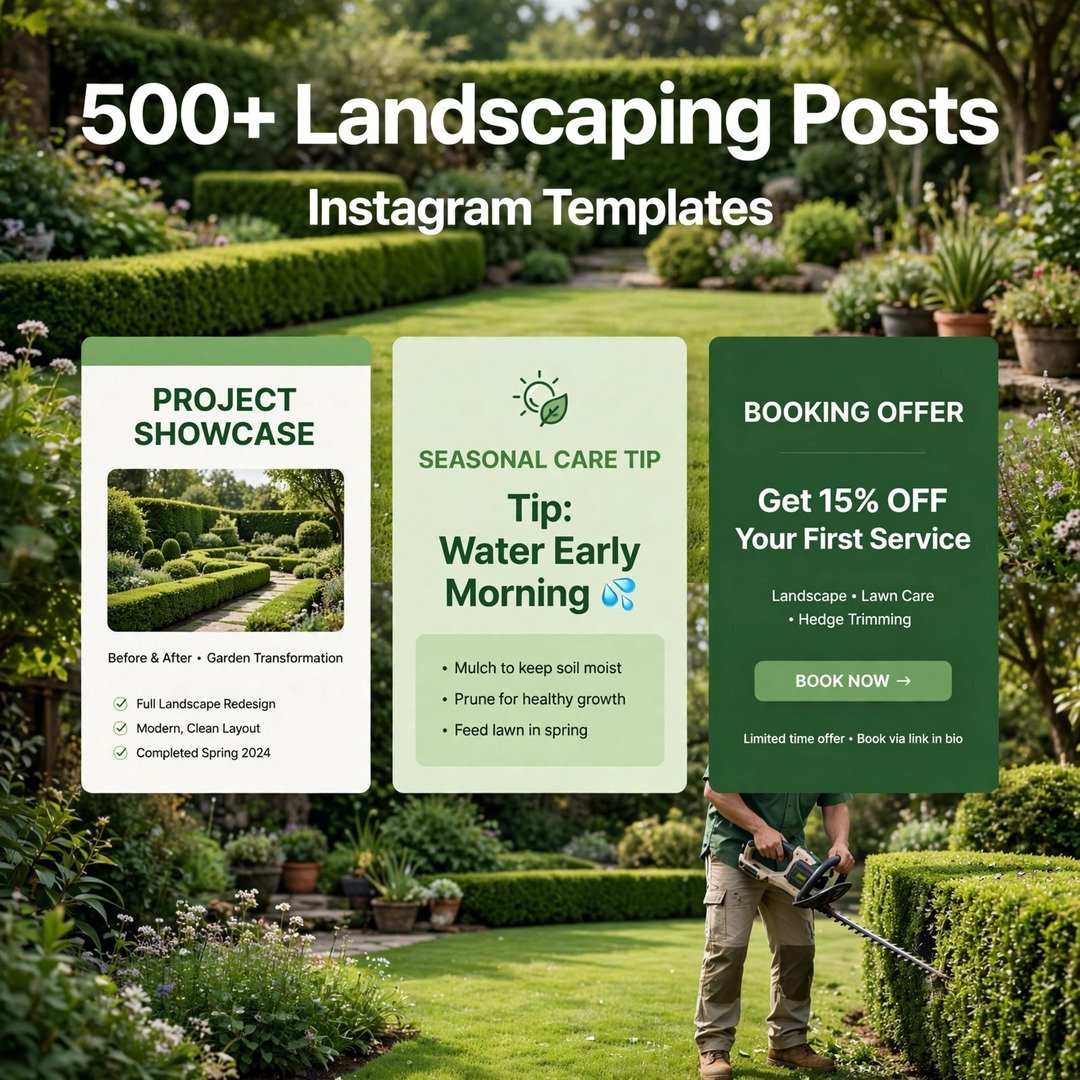
Landscaping Instagram post templates help landscapers and garden designers share project showcases, seasonal care tips and booking offers in fresh designs. This bundle includes 500+ landscaping Instagram post templates with project showcases, seasonal care tips, before and after transformations and booking offers. You can edit each design in Canva and post it in minutes.
What Is Included in the Landscaping Instagram Post Templates Bundle
The bundle contains 500+ landscaping Instagram post templates. The product page lists project showcases, seasonal care tips, before and after transformations and booking offers in fresh designs. Each template is edited in Canva, so you can add your project photos, services and contact details.
How to Use Landscaping Instagram Post Templates
Creating a landscaping post from a template follows a simple order:
- Choose a template for your message, such as a project showcase or a seasonal tip.
- Replace the sample text with the project name, service or tip.
- Add a clear photo of the finished garden, in natural light.
- Check the service area, prices and booking details.
- Post at a regular time, and reply to enquiries promptly.
Who Should Buy This Bundle
These landscaping Instagram post templates suit landscapers, garden designers, lawn care companies and yard maintenance services. They help any garden business that wants a fresh, consistent feed that brings dream gardens to life.
Showcasing Completed Projects
Project photos look best when the garden is tidy and the light is soft. Show the finished space from a few angles, and name the style or plants in the caption. A short series of projects helps followers picture what you could create for them.
Seasonal Care Tips for Gardens
Seasonal advice is popular with garden owners. Share planting tips in spring, watering advice in summer and clean-up ideas in autumn. Keep tips general, and invite followers to ask about their own spaces.
Booking Offers and Seasonal Work
Booking posts should show the services covered, the areas served and how to book. Remove offers once your schedule is full, and update the post when the season changes. A regular reminder helps clients plan a project before the busy season.
Showing Seasonal Work Throughout the Year
Landscaping work changes with the seasons, so plan your feed around them. Share planting tips in spring, lawn care in summer, and clean-up advice in autumn. Use before and after photos from the same angle, and ask clients for permission before sharing their gardens. Seasonal posts keep followers engaged and help them think about their next project.
Tips for Fresh, Clear Posts
Use one strong photo per post, and keep the text short. Choose a palette that suits your brand, and use it across the feed. Save your favourite layouts in Canva, so you can publish quickly. Review the feed each season and remove projects that no longer reflect your work.
Common Mistakes to Avoid
A common mistake is leaving sample prices or project names on the design. Another is sharing a client’s garden without permission. Avoid cluttered layouts, and check that service areas are correct. Finally, do not post a seasonal offer after the season has ended.
Quick Checklist Before You Post
- Replace all sample text, prices and project names.
- Confirm permission for any client photos.
- Check that service areas and booking details are correct.
- Preview the post on a phone.
Frequently Asked Questions
Can I edit these landscaping templates in Canva?
Yes. The product page says you can edit each template in Canva and post it in minutes.
Do I need design skills to use them?
No. The templates are ready to customise, so you change the text and images rather than building a layout from scratch.
Can I use the templates for client work?
Check the licence terms that come with your download before you use the templates for client work or resale.
Explore More Digital Products
Browse more social media bundles in the MN5 DIGITAL shop, or see all products from this seller on the RizStore page. For design basics and Canva tips, visit Canva’s website.










Reviews
There are no reviews yet.