
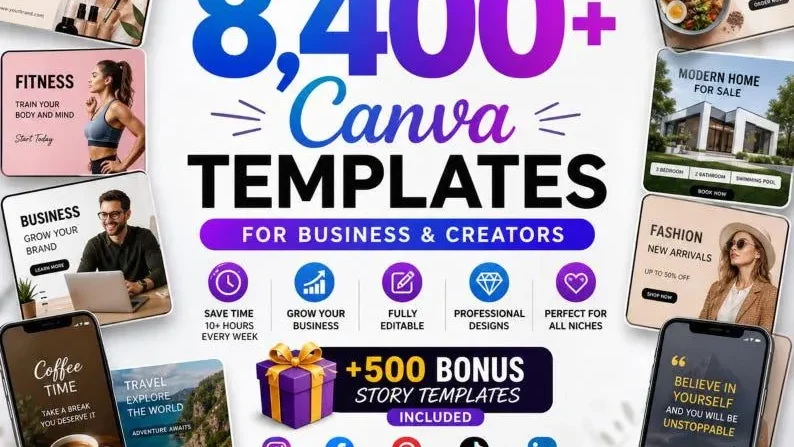
Posting consistently is hard when every design starts from a blank page. If you are looking for Canva social media templates that cut your design time, the 8,400+ Canva Social Media Templates Bundle from MN5 DIGITAL gives you a large starting library for Instagram posts, Stories, Reels, carousels and more. Every design is meant to be customized in Canva, so you can change the text, colors and photos to match your brand in minutes.
Table of Contents
What is inside the bundle
The product page describes this collection as more than 8,400 Canva templates and design resources. The main categories listed are:
- Instagram posts, Stories, Reels and carousel designs
- Instagram Highlight covers and puzzle templates
- Business cards and letterheads
- Infographics, presentations and YouTube thumbnails
- Bio link designs and general social media graphics
- 500 bonus Story templates
Who benefits most from Canva social media templates
Content creators and influencers need fresh visuals every week. Coaches, consultants and small business owners need a clean brand presence without hiring a designer for every post. Social media managers and freelancers often juggle several client accounts, so a large library of starting layouts helps them move faster. The product page names all of these audiences, and a bundle this size gives each of them room to find a style that fits.
Why a template library beats designing from scratch
Designing each post from zero means making the same decisions over and over: font pairs, spacing, color balance and layout. A ready-made library gives you layouts that already work together, so your feed looks consistent without extra effort. You still decide the final message, so the posts remain yours. If you run several accounts, you can keep one template family for each brand and switch between them whenever you need to.
Pair the templates with a simple content plan. If you also want a calendar to organize what you post each week, the 30-Day Social Media Content Planner from our store works well alongside a design library like this one.
Planning a month of Canva posts
Templates work best when they sit inside a routine. Start by listing the post types you publish most, such as quote graphics, product highlights, Story polls or short Reels covers. Then match each type to a layout in the library so you always know where to begin. Batch your designs in one session: fill five or six templates with the same campaign message, export them together and schedule them. This approach keeps your feed on brand and saves you from opening Canva every single day.

The bundle also includes Instagram Highlight covers and puzzle templates, which are useful for profile grids and highlight sections. Business cards, letterheads and presentations let you carry the same visual identity beyond social media, so your sales deck and your Instagram feed look like they belong to the same brand. That consistency makes it easier for new visitors to recognize your work across every platform.
Check the license before you publish or resell
Be clear about usage before you build a business on any template set. The product page notes that Canva access may be required and that usage depends on the supplied license. The listing also mentions PLR and MRR rights in its title, so read the license terms included with your download before you use the designs for client work or sell them as your own product.
How to start using the templates
- Open the Canva social media templates bundle product page and check the included files.
- Sign in to Canva with the account you plan to use for the work.
- Choose a template that matches your niche and the format you need.
- Replace the sample text, photos and colors with your brand details.
- Export your finished designs and schedule them across the month.
Frequently asked questions
Do I need a Canva account to use these templates?
The product page says Canva access may be required. Check the included files and your Canva plan before you order so you know what you need.
Is this a physical product?
No. It is a digital product with online access, and no physical item is shipped.
Get the bundle from MN5 DIGITAL
If you want a large starting library of editable social designs in one purchase, the 8,400+ Canva Social Media Templates Bundle is available on our store. Explore more digital resources on the MN5 DIGITAL homepage, and check the license notes before you publish designs for paying clients.

Leave a Reply