
Description
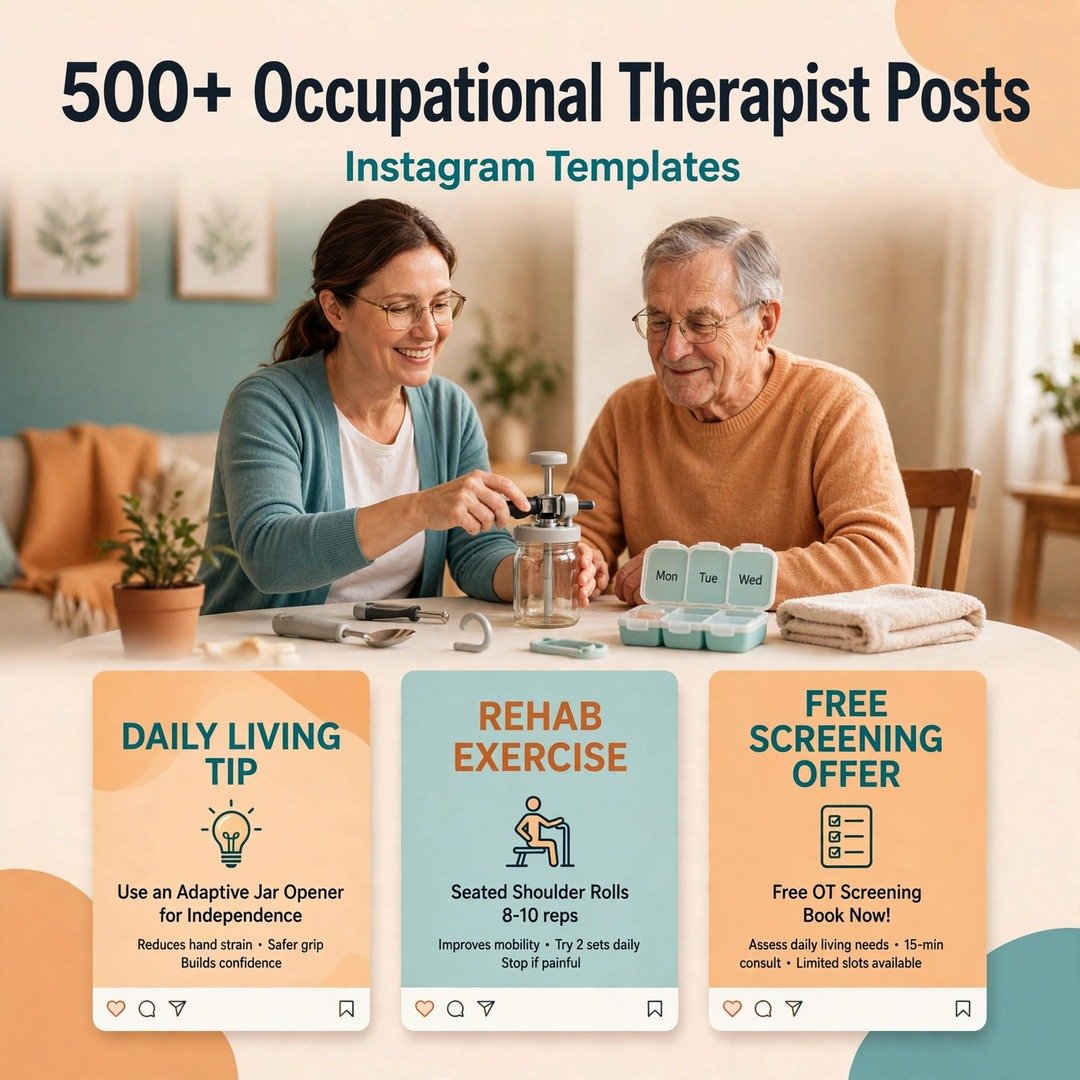
Occupational therapist Instagram post templates help occupational therapists and rehab clinics share daily living tips, rehab exercises, adaptive equipment highlights and free screening offers in warm designs. This bundle includes 500+ occupational therapist Instagram post templates with daily living tips, rehab exercises, adaptive equipment highlights and free screening offers. You can edit each design in Canva and post it in minutes.
What Is Included in the Occupational Therapist Instagram Post Templates Bundle
The bundle contains 500+ occupational therapist Instagram post templates. The product page lists daily living tips, rehab exercises, adaptive equipment highlights and free screening offers in warm designs. Each template is edited in Canva, so you can add your services, clinic details and booking information.
How to Use Occupational Therapist Instagram Post Templates
Creating a therapy post from a template follows a simple order:
- Choose a template for your message, such as a daily living tip or a screening offer.
- Replace the sample text with the tip, equipment name or offer.
- Add a clear photo of an activity, with consent for any person shown.
- Check services, hours and screening details.
- Post at a regular time, and reply to enquiries promptly.
Who Should Buy This Bundle
These occupational therapist Instagram post templates suit occupational therapists, rehabilitation clinics, home care teams and paediatric OT services. They help any therapy practice that wants a warm, practical feed that brings clients to book a screening.
Sharing Daily Living Tips
Daily living tips help people manage everyday tasks more easily. Share one idea per post, such as arranging a kitchen so frequently used items sit within easy reach. Keep the advice general, and suggest that clients speak to a therapist for a personal plan that fits their needs.
Demonstrating Rehab Exercises With Care
Exercise posts work best when the movement is simple and clearly described. Explain the setup and the main cue in one or two lines, and tell readers to stop if the movement causes pain. Avoid posting a full programme without a clinician’s assessment, because every person’s abilities and goals are different.
Highlighting Adaptive Equipment
Equipment posts can show tools that make tasks easier to manage. Feature one item per post, explain what tasks it helps with, and avoid claiming that a device solves a medical condition. Check that any product you show is available through your practice or a trusted supplier before you publish.
Planning a Monthly Content Calendar
Therapy topics follow the seasons and daily routines, so build your feed around them. Share a tip about home safety in winter, a garden activity idea in spring and a back-to-school skills reminder in late summer. Prepare the designs in Canva at the start of each month, then schedule them. A planned calendar keeps your practice visible when clients need support.
Tips for Warm, Practical Posts
Use one clear image per post, and keep the text short. Choose a warm palette, such as soft greens and creams. Save your favourite layouts in Canva so you can publish quickly. Review your services and screening details each season.
Common Mistakes to Avoid
A common mistake is leaving an old price or opening time on the design. Another is posting a client’s activity or home without consent. Avoid medical claims about treating a condition, and do not keep a free screening offer live once your appointment book is full.
Quick Checklist Before You Post
- Replace all sample text, prices and hours.
- Confirm consent for any person or home shown.
- Add a safety note to every exercise post.
- Preview the post on a phone.
Frequently Asked Questions
Can I edit these occupational therapist templates in Canva?
Yes. The product page says you can edit each template in Canva and post it in minutes.
Do I need design skills to use them?
No. The templates are ready to customise, so you change the text and images rather than building a layout from scratch.
Can I use the templates for client work?
Check the licence terms that come with your download before you use the templates for client work or resale.
Explore More Digital Products
Browse more social media bundles in the MN5 DIGITAL shop, or see all products from this seller on the RizStore page. For design basics and Canva tips, visit Canva’s website.








Reviews
There are no reviews yet.