
Description
Samba dance instructor Instagram post templates help samba dance instructors share rhythm tips, class highlights, joyful advice and free trial offers in cheerful designs. This bundle includes 500+ samba dance instructor Instagram post templates with rhythm tips, class highlights, joyful advice and free trial offers. You can edit each design in Canva and post it in minutes.
What Is Included in the Samba Dance Instructor Instagram Post Templates Bundle
The bundle contains 500+ samba dance instructor Instagram post templates. The product page lists rhythm tips, class highlights, joyful advice and free trial offers in cheerful designs. Each template is edited in Canva, so you can add your class levels, studio details and booking information.
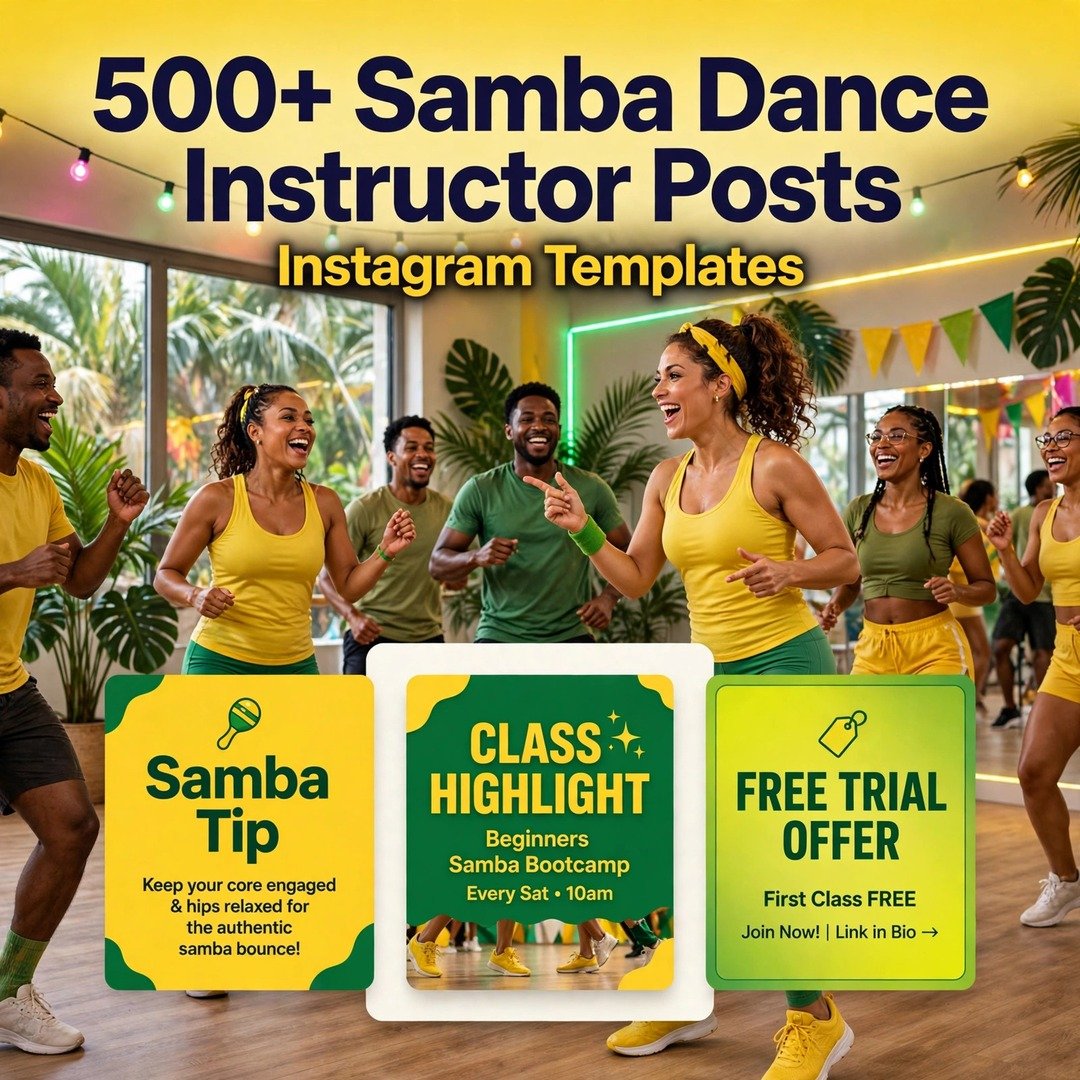
How to Use Samba Dance Instructor Instagram Post Templates
Creating a class post from a template follows a simple order:
- Choose a template for your message, such as a rhythm tip or a free trial offer.
- Replace the sample text with the step, tip or offer.
- Add a bright photo from class, with consent from everyone shown.
- Check your class levels, qualifications and offer terms.
- Post at a regular time, and reply to enquiries promptly.
Who Should Buy This Bundle
These samba dance instructor Instagram post templates suit samba teachers, carnival dance coaches, fitness dance instructors and dance school owners. They help any qualified instructor who wants a cheerful, energetic feed that brings people to book a free trial class.
Sharing Bounce and Rhythm Tips
Rhythm tips work best when they focus on one action. Share one idea per post, such as the bounce from the knees or the steady count of the basic step. Keep the advice general, and remind readers that the rhythm becomes natural with regular practice.
Highlighting Samba Classes
Class posts can explain how a samba session runs. Describe one part in plain language, such as the warm-up, the basic steps or the routine practice at the end. Do not share a dancer’s image or costume photo without permission, and never share images of children without written consent from a parent or guardian.
Warm Up and Rest Safely
Safety should come first in every post. Remind readers to warm up before fast steps, wear supportive footwear and rest between sessions. Encourage anyone with an injury or a health condition to check with a doctor before starting, and suggest they stop if they feel sharp pain or dizziness.
Planning a Calendar Around Festival Seasons
Samba classes often build towards festival seasons, school showcases and community events, so plan your feed around these dates. Share a rhythm tip at the start of the month, a practice prompt mid-month and an invitation to the next event before the month ends. Prepare the designs in Canva at the start of each month, then schedule them. A steady calendar keeps your classes visible when people are planning their next event.
Tips for Cheerful, Bright Posts
Use one bright image per post, and keep the text short. Choose a warm palette, such as yellow, green and orange. Save your favourite layouts in Canva so you can publish quickly. Review your class times and offers each month.
Common Mistakes to Avoid
A common mistake is posting costume or festival images without permission. Another is leaving an old class time or price on the design. Avoid guaranteed-results language, and do not keep a free trial offer live once your class schedule is full.
Quick Checklist Before You Post
- Replace all sample text, class times and prices.
- Confirm written permission before sharing any dancer’s or costume photo.
- Confirm written parental consent before showing any child.
- Preview the post on a phone.
Frequently Asked Questions
Can I edit these samba dance templates in Canva?
Yes. The product page says you can edit each template in Canva and post it in minutes.
Do I need design skills to use them?
No. The templates are ready to customise, so you change the text and images rather than building a layout from scratch.
Can I use the templates for client work?
Check the licence terms that come with your download before you use the templates for client work or resale.
Explore More Digital Products
Browse more social media bundles in the MN5 DIGITAL shop, or see all products from this seller on the RizStore page. For design basics and Canva tips, visit Canva’s website.









Reviews
There are no reviews yet.