
Description
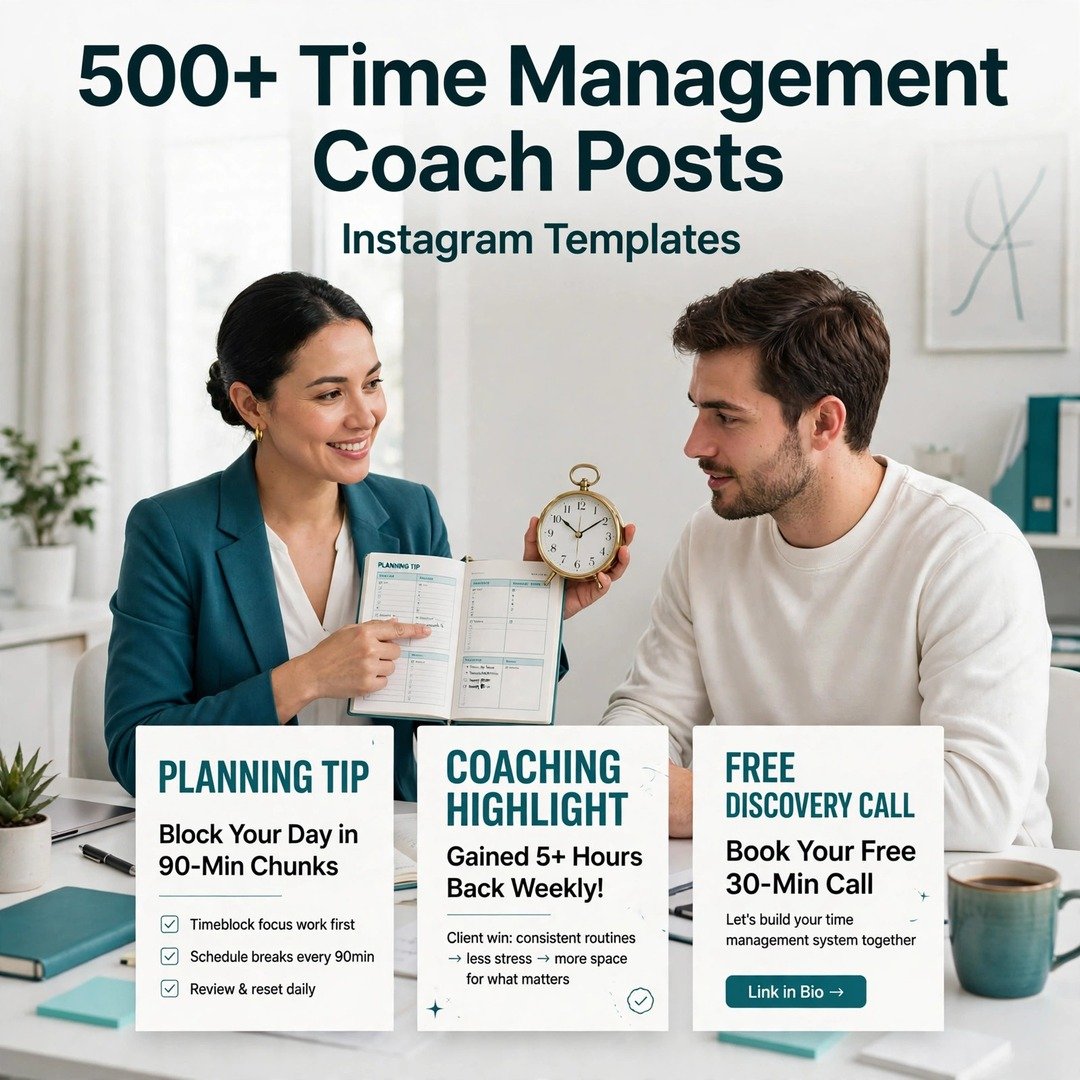
Time management coach Instagram post templates help time management coaches share planning tips, coaching highlights, routine advice and free discovery call offers in clean designs. This bundle includes 500+ time management coach Instagram post templates with planning tips, coaching highlights, routine advice and free discovery call offers. You can edit each design in Canva and post it in minutes.
What Is Included in the Time Management Coach Instagram Post Templates Bundle
The bundle contains 500+ time management coach Instagram post templates. The product page lists planning tips, coaching highlights, routine advice and free discovery call offers in clean designs. Each template is edited in Canva, so you can add your coaching formats, session details and booking information.
How to Use Time Management Coach Instagram Post Templates
Creating a coaching post from a template follows a simple order:
- Choose a template for your message, such as a planning tip or a discovery call offer.
- Replace the sample text with the routine, tip or offer.
- Add a simple photo of a planner or your workspace.
- Check your formats, qualifications and offer terms.
- Post at a regular time, and reply to enquiries promptly.
Who Should Buy This Bundle
These time management coach Instagram post templates suit time management coaches, career planners, study skills mentors and small business owners who coach their teams. They help any coach who wants an organised feed that brings busy people to book a discovery call.
Sharing Planning Tips
Planning tips work best when they are simple and realistic. Share one idea per post, such as time blocking the most important task before checking email or planning the next day at the end of the working day. Keep the advice general, and remind readers that schedules should fit their own commitments and health needs.
Highlighting Coaching Formats
Coaching highlight posts can show how sessions are structured. Describe one part of the process in plain language, such as reviewing a calendar or agreeing on a weekly review. Avoid sharing a client’s schedule, employer or results without written permission.
Routine Advice Without Promises
Routine posts can suggest small, repeatable changes. Share one routine per post, such as a short end-of-day shutdown ritual or a weekly planning hour. Avoid promising that a routine will create free time or end stress, because results depend on each person’s workload and circumstances.
Planning a Monthly Scheduling Calendar
Time management topics follow the calendar, such as the start of a new term, the end of a quarter and the busy holiday period. Share a planning idea at the start of each month, a review prompt in the middle of the month and a reset reminder before a busy season. Prepare the designs in Canva at the start of each month, then schedule them. A steady calendar keeps your coaching visible when people are looking for better structure.
Tips for Clean, Organised Posts
Use one clean image per post, and keep the text short. Choose a neutral palette, such as slate, cream and one accent colour. Save your favourite layouts in Canva so you can publish quickly. Review your formats and offers each season.
Common Mistakes to Avoid
A common mistake is leaving an old fee or format name on the design. Another is using a claim that implies guaranteed productivity. Avoid promises of extra free time, and do not keep a free discovery call offer live once your calendar is full.
Quick Checklist Before You Post
- Replace all sample text, prices and format names.
- Remove any promises of extra free time or guaranteed productivity.
- Confirm that any client example is anonymised.
- Preview the post on a phone.
Frequently Asked Questions
Can I edit these time management coach templates in Canva?
Yes. The product page says you can edit each template in Canva and post it in minutes.
Do I need design skills to use them?
No. The templates are ready to customise, so you change the text and images rather than building a layout from scratch.
Can I use the templates for client work?
Check the licence terms that come with your download before you use the templates for client work or resale.
Explore More Digital Products
Browse more social media bundles in the MN5 DIGITAL shop, or see all products from this seller on the RizStore page. For design basics and Canva tips, visit Canva’s website.










Reviews
There are no reviews yet.