
Description
Restaurant menu templates help cafes and restaurants present their food in a clear, attractive way. This bundle includes 500+ restaurant menu templates with elegant dine-in, takeaway, cafe and dessert menus in many styles. You can edit each design in Canva and print it in minutes.
What Is Included in the Restaurant Menu Templates Bundle
The bundle contains 500+ restaurant menu templates. The product page lists elegant dine-in, takeaway, cafe and dessert menus in many styles. Each template is edited in Canva, so you can add your dishes, prices and branding before you print.
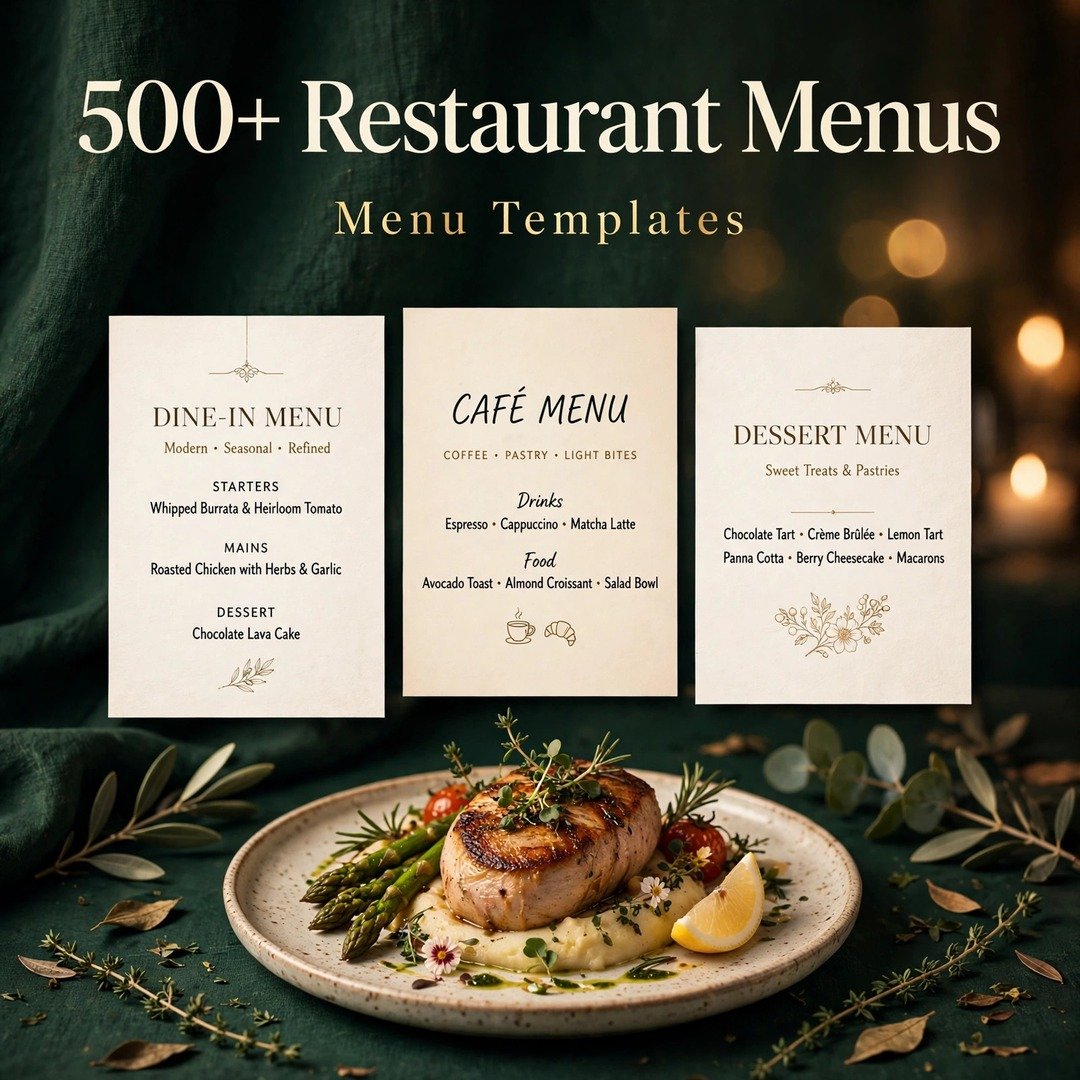
How to Use Restaurant Menu Templates
Preparing a menu from a template follows a simple order:
- Choose a menu style that suits your restaurant or cafe.
- Replace the sample dishes and prices with your own menu.
- Add your logo and contact details.
- Check the layout at the final print size.
- Print a test copy and confirm the text is easy to read.
Who Should Buy This Bundle
These restaurant menu templates suit restaurants, cafes, food trucks and anyone who runs a small food business. They are also useful for bakeries and dessert shops, because the bundle includes dessert menus as well as dine-in and takeaway designs.
Organising the Menu for Easy Reading
Customers usually scan a menu quickly, so group dishes into clear sections, such as starters, mains and drinks. Use short item names and one line of description for each dish. Leave space between sections, so the menu does not feel crowded. A simple order makes it easier for guests to choose.
Updating Prices and Specials
Prices and specials change often, so keep the menu file in one place. Update the prices before each print run, and mark seasonal dishes clearly. Print only what you need for the next few weeks, so you can update the menu without waste.
Tips for a Polished Menu
Keep the design consistent with your signage and social media, so customers recognise your brand. Use one or two fonts and a limited colour palette. Check the spelling of every dish, since errors are easy to notice on a printed menu. Use good quality paper for menus that are handled often.
Common Mistakes to Avoid
A common mistake is leaving sample dishes or prices on the menu. Another is printing too many copies before prices are confirmed. Avoid tiny text that is hard to read in a dim dining room, and check allergen and dietary notes carefully. Finally, proofread the menu before printing.
Quick Checklist Before You Print
- Replace all sample dishes and prices.
- Check the spelling of every item.
- Print a test copy at final size.
- Confirm the contact details.
Frequently Asked Questions
Can I print these menus?
Yes. The product page says you can edit each template in Canva and print it in minutes.
Do I need design skills to use them?
No. The templates are ready to customise, so you change the text and prices rather than designing the layout yourself.
Can I use the templates for client work?
Check the licence terms that come with your download before you use the templates for client work or resale.
Designing for Different Menus
A dine-in menu, a takeaway menu and a dessert menu each have different needs. Dine-in menus can include more detail, while takeaway menus should be easy to scan quickly. Dessert menus often work well as a separate card, so they stand out at the end of the meal. Match the style across all menus, so the brand feels consistent. Test each menu with a real customer before printing the full set.
Explore More Digital Products
Browse more food and restaurant bundles in the MN5 DIGITAL shop, or see all products from this seller on the RizStore page. For design basics and Canva tips, visit Canva’s website.









Reviews
There are no reviews yet.