
Description
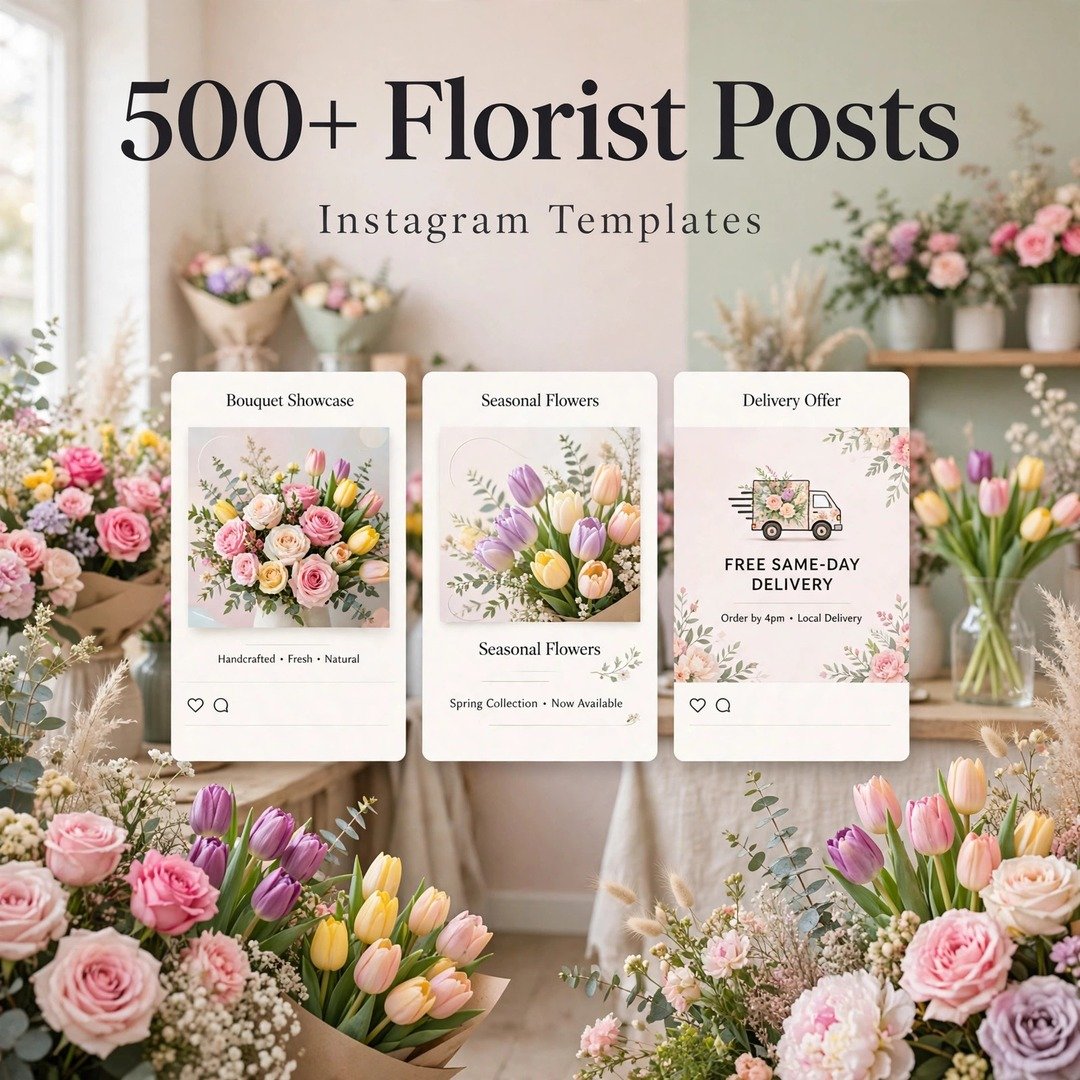
Florist Instagram post templates help florists and flower shops showcase bouquets, seasonal blooms and delivery offers in fresh designs. This bundle includes 500+ florist Instagram post templates with bouquet showcases, seasonal flowers, delivery offers and care tips. You can edit each design in Canva and post it in minutes.
What Is Included in the Florist Instagram Post Templates Bundle
The bundle contains 500+ florist Instagram post templates. The product page lists bouquet showcases, seasonal flowers, delivery offers and care tips in fresh designs. Each template is edited in Canva, so you can add your arrangements, prices and shop details.
How to Use Florist Instagram Post Templates
Creating a florist post from a template follows a simple order:
- Choose a template for your message, such as a bouquet showcase or a delivery offer.
- Replace the sample text with the arrangement name, price or occasion.
- Add a clear photo of the bouquet, in natural light.
- Check delivery areas, cut-off times and prices.
- Post at a regular time, and reply to order questions promptly.
Who Should Buy This Bundle
These florist Instagram post templates suit florists, flower shops and event florists. They help any florist who wants a fresh, consistent feed that brings flower lovers to the shop or the order page.
Showing Bouquets at Their Best
Bouquet photos look best when the flowers are fresh and the background is simple. Show the arrangement from a few angles, and mention the occasion it suits. Natural light and a neutral surface help the colours stand out.
Seasonal Flowers and Timing
Seasonal flowers are a strong theme for regular posts. Share what is in season now, and explain why it is a good choice. Update the post when the season changes, so followers see current options.
Delivery Offers and Ordering
Delivery offers should include clear areas served, cut-off times and prices. Confirm delivery slots before you post, and make the ordering method obvious. A clear call to action helps followers order quickly.
Tips for Fresh, Clear Posts
Use one bouquet as the focal point, and keep the text short. Choose a palette that suits your arrangements, and use it across the feed. Save your favourite layouts in Canva, so you can publish quickly. Review each season and retire posts featuring flowers you no longer stock.
Common Mistakes to Avoid
A common mistake is leaving sample prices or dates on the design. Another is posting an arrangement that is no longer available. Avoid crowded layouts, and check that delivery cut-off times are correct. Finally, do not promote a delivery area you no longer serve.
Quick Checklist Before You Post
- Replace all sample text, prices and dates.
- Confirm delivery areas and cut-off times.
- Check that the arrangement is available.
- Preview the post on a phone.
Frequently Asked Questions
Can I edit these florist templates in Canva?
Yes. The product page says you can edit each template in Canva and post it in minutes.
Do I need design skills to use them?
No. The templates are ready to customise, so you change the text and photos rather than building a layout from scratch.
Can I use the templates for client work?
Check the licence terms that come with your download before you use the templates for client work or resale.
Preparing for Busy Seasons
Florists often face peak periods, such as holidays and wedding seasons, when orders rise quickly. Plan your post calendar ahead of time, and prepare designs for the main occasions. Share cut-off dates early, so customers can order in good time. Clear planning helps you keep posts accurate and gives you more time to focus on arranging flowers.
Explore More Digital Products
Browse more social media bundles in the MN5 DIGITAL shop, or see all products from this seller on the RizStore page. For design basics and Canva tips, visit Canva’s website.










Reviews
There are no reviews yet.