
Description
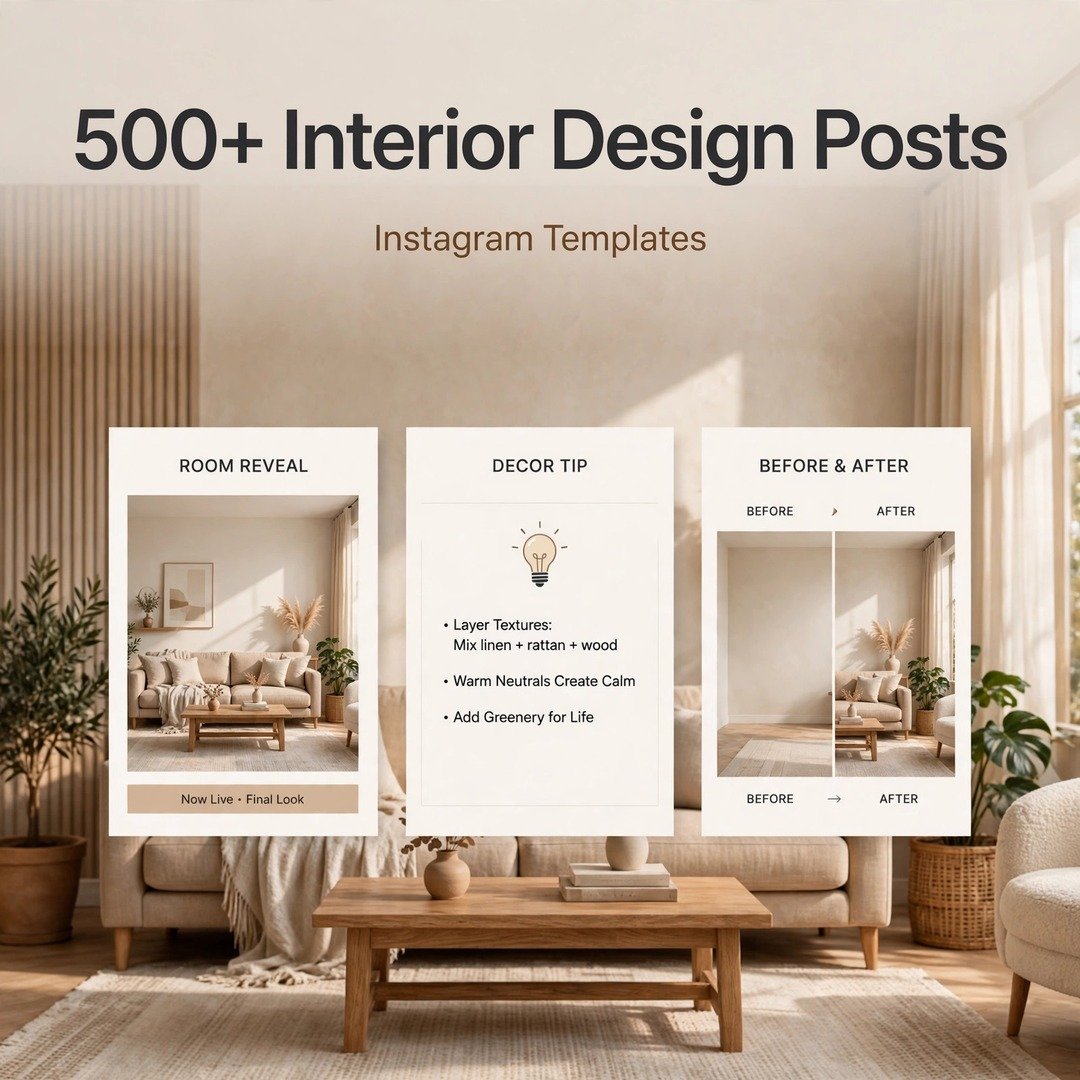
Interior design Instagram post templates help designers and decorators share room reveals, decor tips and design inspiration in beautiful layouts. This bundle includes 500+ interior design Instagram post templates with room reveals, decor tips, before and after transformations and design inspiration. You can edit each design in Canva and post it in minutes.
What Is Included in the Interior Design Instagram Post Templates Bundle
The bundle contains 500+ interior design Instagram post templates. The product page lists room reveals, decor tips, before and after transformations and design inspiration in beautiful layouts. Each template is edited in Canva, so you can add your project photos, notes and contact details.
How to Use Interior Design Instagram Post Templates
Creating a design post from a template follows a simple order:
- Choose a template for your message, such as a room reveal or a decor tip.
- Replace the sample text with the room name, product or tip.
- Add a bright, well-composed photo of the space.
- Check that the details and product names are accurate.
- Post at a regular time, and reply to enquiries promptly.
Who Should Buy This Bundle
These interior design Instagram post templates suit interior designers, home stylists, decorators and furniture retailers. They help any designer who wants a polished feed that shows projects clearly and attracts dream clients.
Presenting Room Reveals
Room reveals work best when the space is clean and well lit. Show the finished room from the main angle, and name the style in the caption. A short series, such as a before shot followed by the reveal, keeps followers interested.
Decor Tips That Inspire
Decor tips are popular with homeowners who want practical ideas. Share one tip per post, such as choosing a rug size or layering lighting. Keep the advice clear, and link to your services where it fits naturally.
Showing Before and After Projects Honestly
Before and after posts are powerful when they show the real change. Use the same camera angle for both photos, and label the room clearly. Mention any key decor pieces you used, and check that the details match the finished space. Honest transformations help clients trust your process and feel ready to enquire.
Planning Posts Around Your Projects
Designers often work on several projects at once, so plan your posts around project milestones. Batch your designs in Canva when a project finishes, and schedule them over the following weeks. A steady flow of projects keeps your feed current.
Tips for Beautiful, Clear Posts
Use one strong image per post, and keep the text short. Choose a consistent palette and font across the feed. Save your favourite layouts in Canva, so you can reuse them. Review the feed each season and remove projects that no longer represent your style.
Common Mistakes to Avoid
A common mistake is leaving sample text or product names on the design. Another is sharing a client’s home without permission. Avoid cluttered layouts, and check that brand names are spelled correctly. Finally, do not post a room that has changed since the photo was taken.
Quick Checklist Before You Post
- Replace all sample text and product names.
- Confirm you have permission to share client spaces.
- Check that product details are accurate.
- Preview the post on a phone.
Frequently Asked Questions
Can I edit these interior design templates in Canva?
Yes. The product page says you can edit each template in Canva and post it in minutes.
Do I need design skills to use them?
No. The templates are ready to customise, so you change the text and images rather than building a layout from scratch.
Can I use the templates for client work?
Check the licence terms that come with your download before you use the templates for client work or resale.
Explore More Digital Products
Browse more social media bundles in the MN5 DIGITAL shop, or see all products from this seller on the RizStore page. For design basics and Canva tips, visit Canva’s website.










Reviews
There are no reviews yet.