
Description
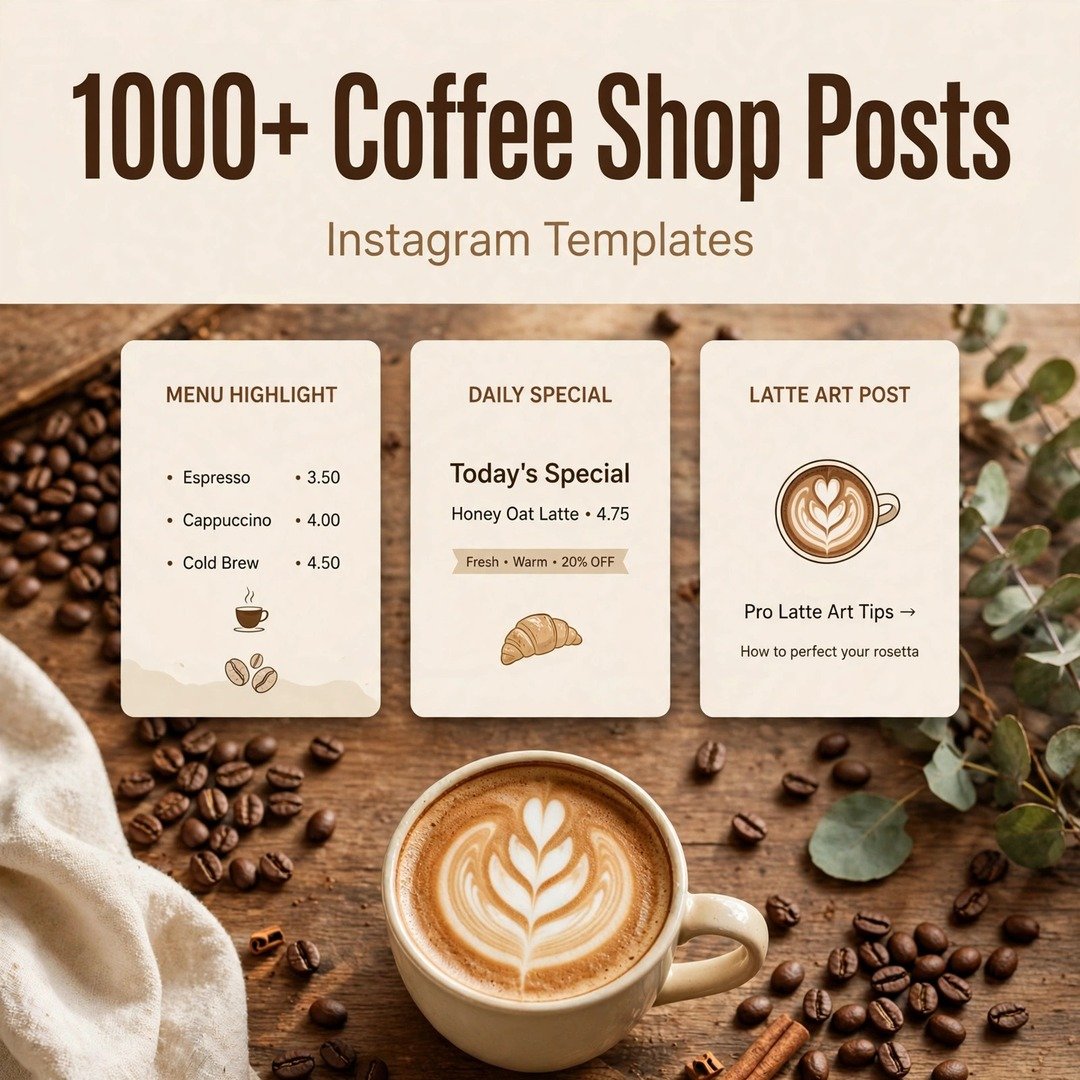
Coffee shop Instagram post templates help cafes and coffee lovers share menus, specials and latte art in warm, cosy designs. This bundle includes 1000+ coffee shop Instagram post templates with menu highlights, daily specials, latte art and cosy cafe vibes. You can edit each design in Canva and post it in minutes.
What Is Included in the Coffee Shop Instagram Post Templates Bundle
The bundle contains 1000+ coffee shop Instagram post templates. The product page lists menu highlights, daily specials, latte art and cosy cafe vibes in warm designs. Each template is edited in Canva, so you can add your drinks, prices and cafe branding.
How to Use Coffee Shop Instagram Post Templates
Creating a cafe post from a template follows a simple order:
- Choose a template for your message, such as a menu highlight or a daily special.
- Replace the sample text with the drink name, price and details.
- Add a photo of the drink or the cafe space, with good light.
- Check that the prices and opening times are correct.
- Post in the morning, when coffee lovers plan their day.
Who Should Buy This Bundle
These coffee shop Instagram post templates suit cafes, coffee shops, roasters and coffee bloggers. They are also useful for bakeries and restaurants that serve coffee and want a warm, consistent feed.
Showcasing Latte Art and Drinks
Latte art is eye-catching when the photo is taken from above, in good light. Show one drink at a time, and keep the background uncluttered. A short caption about the drink helps followers choose what to order.
Promoting Daily Specials
Daily specials are easiest to follow when they have a clear name, price and time window. Update the post each morning, and remove it when the special ends. A simple weekly plan helps regulars know what to expect.
Creating a Cosy Brand Feel
Warm colours and soft textures suit cafes. Use the same palette across menu posts, specials and photos, so the feed feels like one space. Mix menu posts with behind-the-scenes moments, such as the barista at work.
Tips for a Warm, Inviting Feed
Keep text large enough to read on a phone, and use one main message per post. Save your brand colours in Canva, so every post matches. Check the spelling of drink names before publishing. Review which posts get the most engagement, and share more of those.
Common Mistakes to Avoid
A common mistake is leaving sample prices or drink names on the design. Another is showing a special that is no longer available. Avoid crowded layouts, and check that opening times are current. Finally, do not post the same menu item over and over without a new angle.
Quick Checklist Before You Post
- Replace all sample text, prices and drink names.
- Check that daily specials are current.
- Confirm opening times.
- Preview the post on a phone.
Frequently Asked Questions
Can I edit these coffee shop templates in Canva?
Yes. The product page says you can edit each template in Canva and post it in minutes.
Do I need design skills to use them?
No. The templates are ready to customise, so you change the text and photos rather than building a layout from scratch.
Can I use the templates for client work?
Check the licence terms that come with your download before you use the templates for client work or resale.
Building Loyalty With Regular Posts
Regulars enjoy knowing what to expect from a cafe. Share the same kinds of posts each week, such as a new menu item, a seasonal drink or a barista spotlight. Invite customers to share their own photos and tag the cafe, and reply to comments promptly. Engagement like this builds a loyal community around your menu and your space.
Explore More Digital Products
Browse more food and restaurant bundles in the MN5 DIGITAL shop, or see all products from this seller on the RizStore page. For design basics and Canva tips, visit Canva’s website.








Reviews
There are no reviews yet.