
Description
Car dealership Instagram post templates help dealers and used car lots share vehicle showcases, financing offers and service specials in bold designs. This bundle includes 500+ car dealership Instagram post templates with vehicle showcases, financing offers, service specials and customer stories. You can edit each design in Canva and post it in minutes.
What Is Included in the Car Dealership Instagram Post Templates Bundle
The bundle contains 500+ car dealership Instagram post templates. The product page lists vehicle showcases, financing offers, service specials and happy customer stories in bold designs. Each template is edited in Canva, so you can add your stock, prices and showroom details.
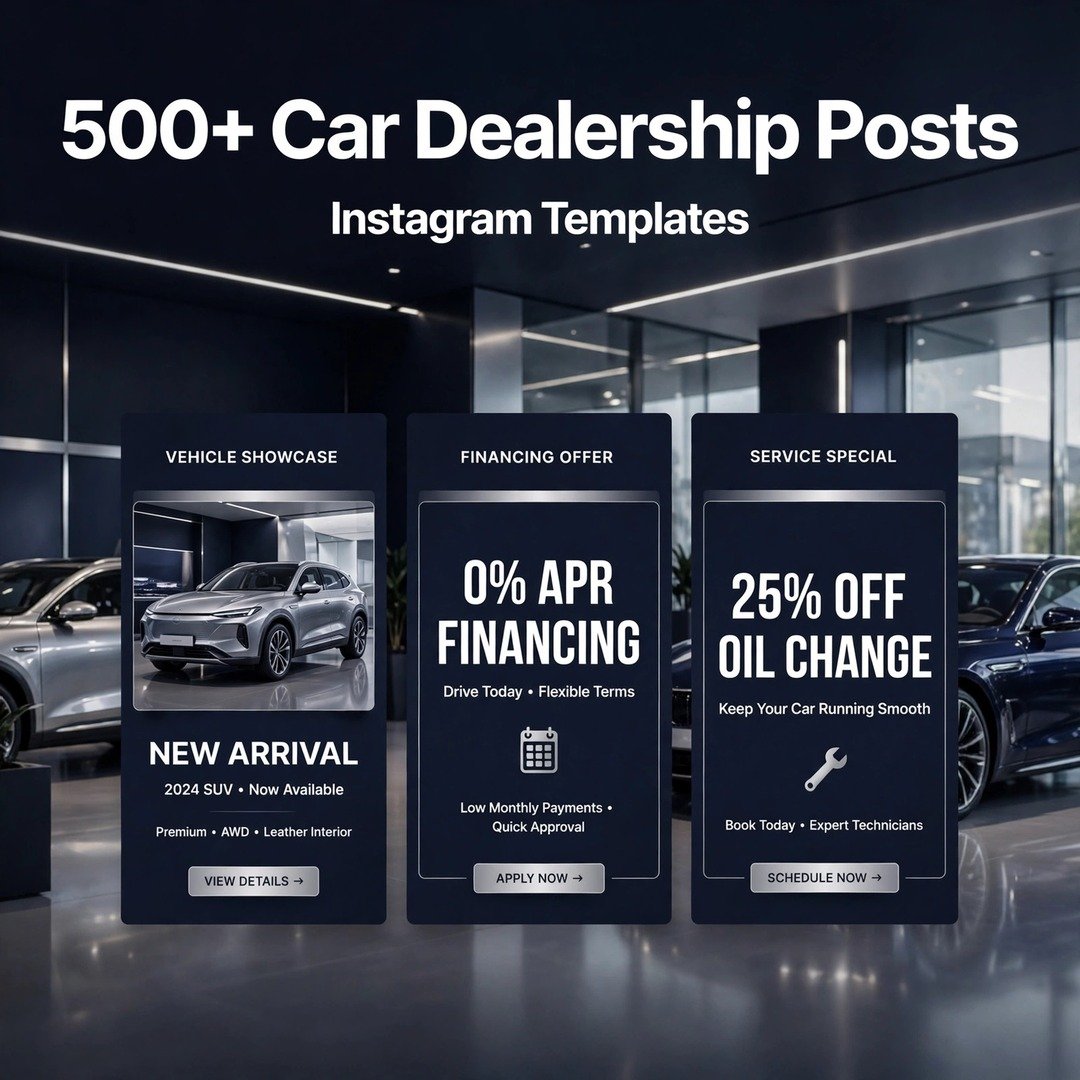
How to Use Car Dealership Instagram Post Templates
Creating a dealership post from a template follows a simple order:
- Choose a template for your message, such as a vehicle showcase or a finance offer.
- Replace the sample text with the make, model, year or offer.
- Add a clear photo of the vehicle, on a clean background.
- Check the price, mileage and offer terms.
- Post at a regular time, and reply to enquiries promptly.
Who Should Buy This Bundle
These car dealership Instagram post templates suit new and used car dealers, motor traders, auto service centres and leasing brokers. They help any automotive business that wants a bold, consistent feed that brings buyers to the showroom.
Showcasing Vehicles Clearly
Vehicle posts should show the car clearly, from a clean angle. List the make, model, year and mileage in the caption, and confirm the vehicle is still in stock. Remove the post once the car is sold.
Presenting Finance Offers Accurately
Finance posts must show current terms accurately. Include the rate, the term and any deposit in plain language, and link to the full conditions. Check local advertising rules before you publish, and avoid wording that promises approval.
Promoting Service Specials
Service specials should explain what the offer includes and how long it runs. Keep the offer separate from vehicle sales, so customers know what they are booking. Update or remove the offer when the workshop schedule changes.
Sharing Customer Stories That Build Trust
Happy customer stories can persuade buyers who are comparing dealers. Share a story only with the customer’s permission, and keep the details accurate. Mention the vehicle and the service in one or two sentences, and avoid exaggerated praise. Honest stories help a showroom stand out.
Tips for Bold, Clean Posts
Use one vehicle as the focal point, and keep the text short and bold. Choose a palette that matches your dealership branding. Save your favourite layouts in Canva so you can publish quickly. Check each post on a phone, where many buyers browse.
Common Mistakes to Avoid
A common mistake is leaving a sold car or old price on the design. Another is advertising finance terms that have changed. Avoid cluttered layouts that hide the vehicle, and check the mileage and year before posting. Finally, do not keep a service special live after the workshop is fully booked.
Quick Checklist Before You Post
- Replace all sample text, prices and vehicle details.
- Confirm the vehicle is still available.
- Check finance terms and disclaimers.
- Preview the post on a phone.
Frequently Asked Questions
Can I edit these car dealership templates in Canva?
Yes. The product page says you can edit each template in Canva and post it in minutes.
Do I need design skills to use them?
No. The templates are ready to customise, so you change the text and images rather than building a layout from scratch.
Can I use the templates for client work?
Check the licence terms that come with your download before you use the templates for client work or resale.
Explore More Digital Products
Browse more social media bundles in the MN5 DIGITAL shop, or see all products from this seller on the RizStore page. For design basics and Canva tips, visit Canva’s website.








Reviews
There are no reviews yet.