
Description
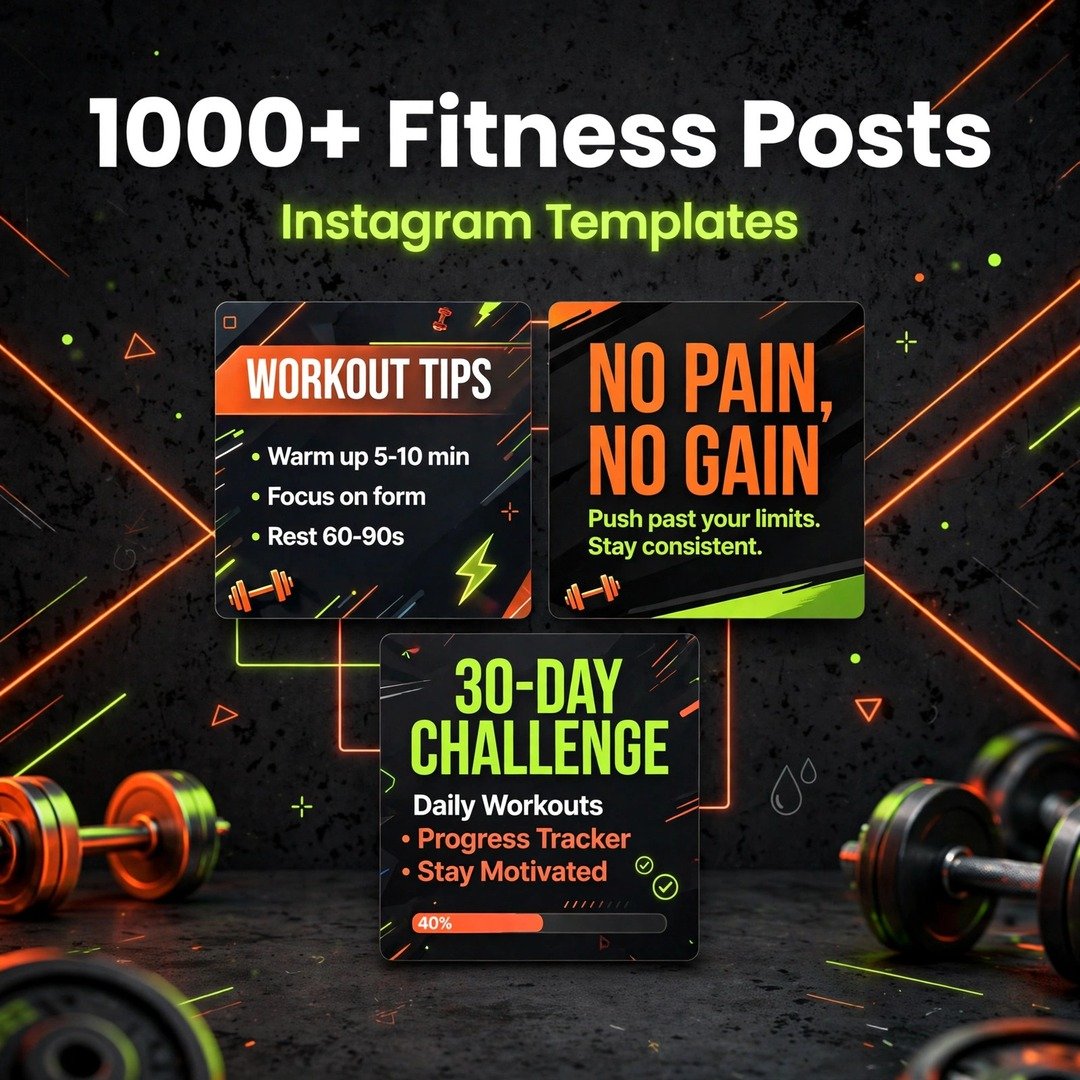
Fitness Instagram post templates help trainers and gyms share workouts, tips and motivation in a consistent style. This bundle includes 1000+ fitness Instagram post templates with workout tips, gym quotes, challenges and transformation posts in bold styles. You can edit each design in Canva and post it in minutes.
What Is Included in the Fitness Instagram Post Templates Bundle
The bundle contains 1000+ fitness Instagram post templates. The product page lists workout tips, gym quotes, challenges and transformation posts in bold styles. Each template is edited in Canva, so you can add your own exercises, quotes and branding.
How to Use Fitness Instagram Post Templates
Creating a fitness post from a template follows a simple order:
- Choose a template that matches the message, such as a workout tip or a challenge.
- Replace the sample text with your exercise, quote or challenge details.
- Add your logo or trainer name, and keep the layout balanced.
- Check that the text is easy to read on a phone.
- Post at a time when your followers are most active, and keep a regular schedule.
Who Should Buy This Bundle
These fitness Instagram post templates suit personal trainers, gyms, fitness coaches and home workout creators. They help anyone who wants to share regular motivation and training tips with followers in a consistent style.
Planning a Weekly Post Schedule
A simple weekly plan keeps your feed interesting. Mix workout tips, motivational quotes and short challenges, so followers have reasons to return. Prepare several designs in one session, then schedule them across the week. Review which formats get the most saves and replies, and do more of those.
Keeping Fitness Advice Safe and Accurate
Keep exercise advice general and easy to follow. Encourage followers to check with a doctor before starting a new programme, especially if they have a health condition. Show progress honestly, and only share client stories with their permission.
Tips for Posts That Motivate
Use bold, large text for the key message, and keep one main idea per post. A clear visual, such as a single exercise photo, helps the post stand out. Save your brand colours in Canva, so your feed looks consistent. Check each post on a phone before publishing.
Common Mistakes to Avoid
A common mistake is leaving sample text on the design. Another is overloading a post with too many tips at once. Avoid promising unrealistic results, and check that the exercise names are spelled correctly. Finally, do not post the same challenge repeatedly without updating it.
Quick Checklist Before You Post
- Replace all sample text.
- Check the exercise and challenge details.
- Preview the post on a phone.
- Schedule the post for a time when followers are active.
Frequently Asked Questions
Can I edit these fitness templates in Canva?
Yes. The product page says you can edit each template in Canva and post it in minutes.
Do I need design skills to use them?
No. The templates are ready to customise, so you change the text and images rather than building a layout from scratch.
Can I use the templates for client work?
Check the licence terms that come with your download before you use the templates for client work or resale.
Varying Your Fitness Content
Followers stay engaged when the feed includes different types of posts. Alternate between short workout tips, quick motivational quotes and occasional challenges that invite comments. Rotate the templates each week so the feed looks fresh, even when the topic repeats. Track which formats bring the most replies, and plan more of them for the coming weeks.
Explore More Digital Products
Browse more social media bundles in the MN5 DIGITAL shop, or see all products from this seller on the RizStore page. For design basics and Canva tips, visit Canva’s website.




Reviews
There are no reviews yet.