
Description
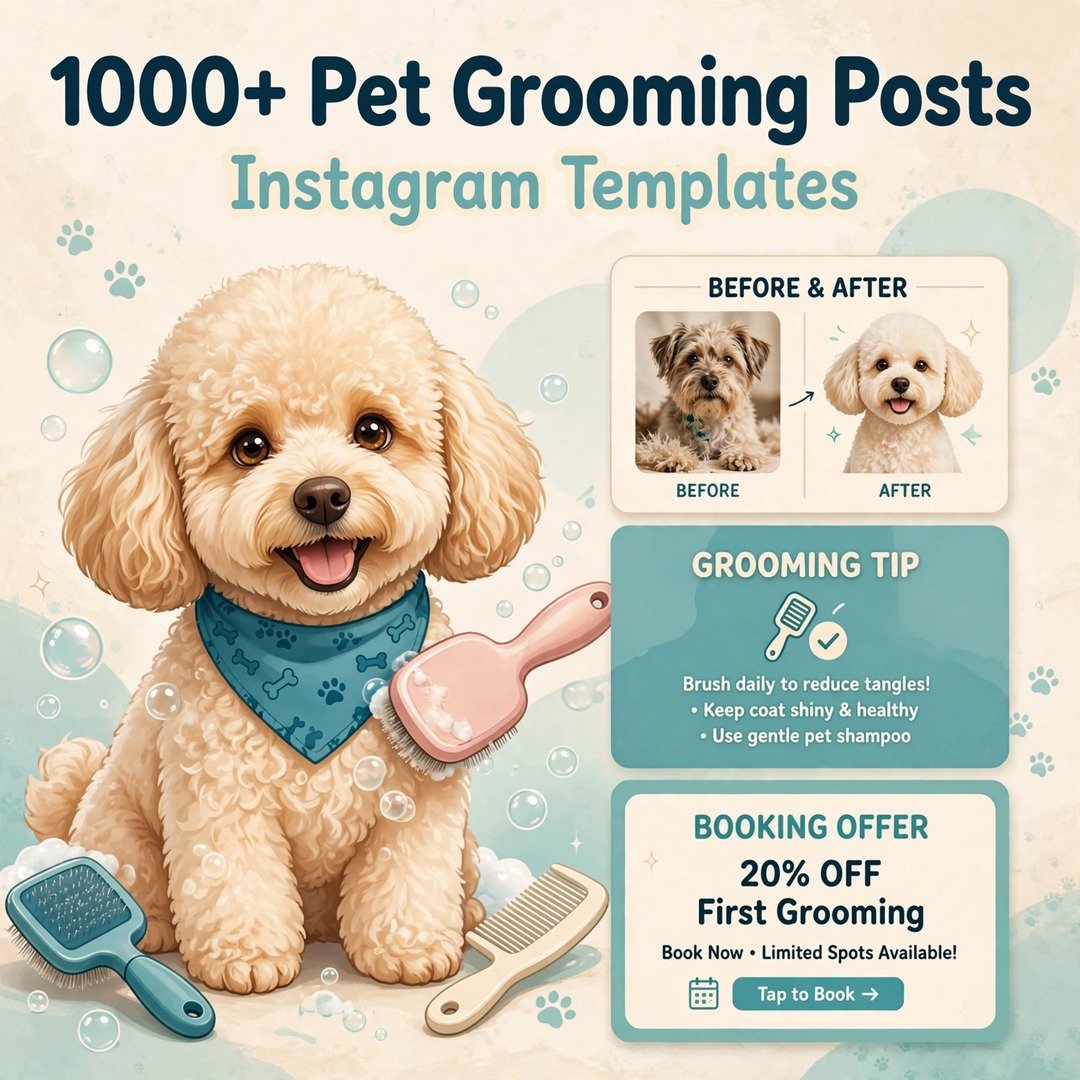
Pet grooming Instagram post templates help groomers and pet care businesses share transformations, grooming tips and booking offers in playful designs. This bundle includes 1000+ pet grooming Instagram post templates with before and after transformations, grooming tips, booking offers and cute pet features. You can edit each design in Canva and post it in minutes.
What Is Included in the Pet Grooming Instagram Post Templates Bundle
The bundle contains 1000+ pet grooming Instagram post templates. The product page lists before and after transformations, grooming tips, booking offers and cute pet features in playful designs. Each template is edited in Canva, so you can add your pet photos, prices and salon details.
How to Use Pet Grooming Instagram Post Templates
Creating a grooming post from a template follows a simple order:
- Choose a template for your message, such as a transformation or a grooming tip.
- Replace the sample text with the pet name, service or advice.
- Add a clear photo of the groomed pet, in good light.
- Check the prices, appointment times and booking details.
- Post at a regular time, and reply to booking questions promptly.
Who Should Buy This Bundle
These pet grooming Instagram post templates suit mobile groomers, pet salons, dog walkers who offer grooming and pet care businesses. They help any groomer who wants a playful, consistent feed that brings pet parents in.
Sharing Before and After Transformations
Transformation posts work best when they are honest and clear. Use the same angle for the before and after photos, and show the whole pet. Ask owners for permission before posting their pet’s photo, so everyone feels comfortable with the post.
Grooming Tips Owners Appreciate
Simple grooming advice, such as brushing between visits or checking ears regularly, is popular with pet parents. Keep tips general, and suggest that owners speak to their vet about any skin or coat concerns. Clear, kind advice builds trust with the people who book your services.
Booking Offers and Appointments
Booking posts should show services, prices and how to book. Remove offers that are fully booked, and update the post when availability changes. A regular booking reminder helps pet parents plan ahead for the next groom.
Planning Pet-Friendly Posts Each Week
Pet parents enjoy regular content, so plan a steady mix of transformations, tips and cute features. Batch your designs in Canva at the start of the week, and schedule them ahead. A predictable rhythm keeps your salon visible and gives owners something to look forward to.
Tips for Playful, Clear Posts
Use one pet as the focal point, and keep the text short and friendly. Choose a palette that suits your salon, and use it across the feed. Save your favourite layouts in Canva, so you can publish quickly. Review your feed each month and remove posts about services you no longer offer.
Common Mistakes to Avoid
A common mistake is leaving sample prices or pet names on the design. Another is sharing a pet photo without the owner’s permission. Avoid crowded layouts, and make sure the booking method is easy to find. Finally, do not keep an offer live once your appointments are full.
Quick Checklist Before You Post
- Replace all sample text, prices and names.
- Confirm the owner has agreed to any photo.
- Check that the booking details work.
- Preview the post on a phone.
Frequently Asked Questions
Can I edit these pet grooming templates in Canva?
Yes. The product page says you can edit each template in Canva and post it in minutes.
Do I need design skills to use them?
No. The templates are ready to customise, so you change the text and images rather than building a layout from scratch.
Can I use the templates for client work?
Check the licence terms that come with your download before you use the templates for client work or resale.
Explore More Digital Products
Browse more social media bundles in the MN5 DIGITAL shop, or see all products from this seller on the RizStore page. For design basics and Canva tips, visit Canva’s website.










Reviews
There are no reviews yet.