
Description
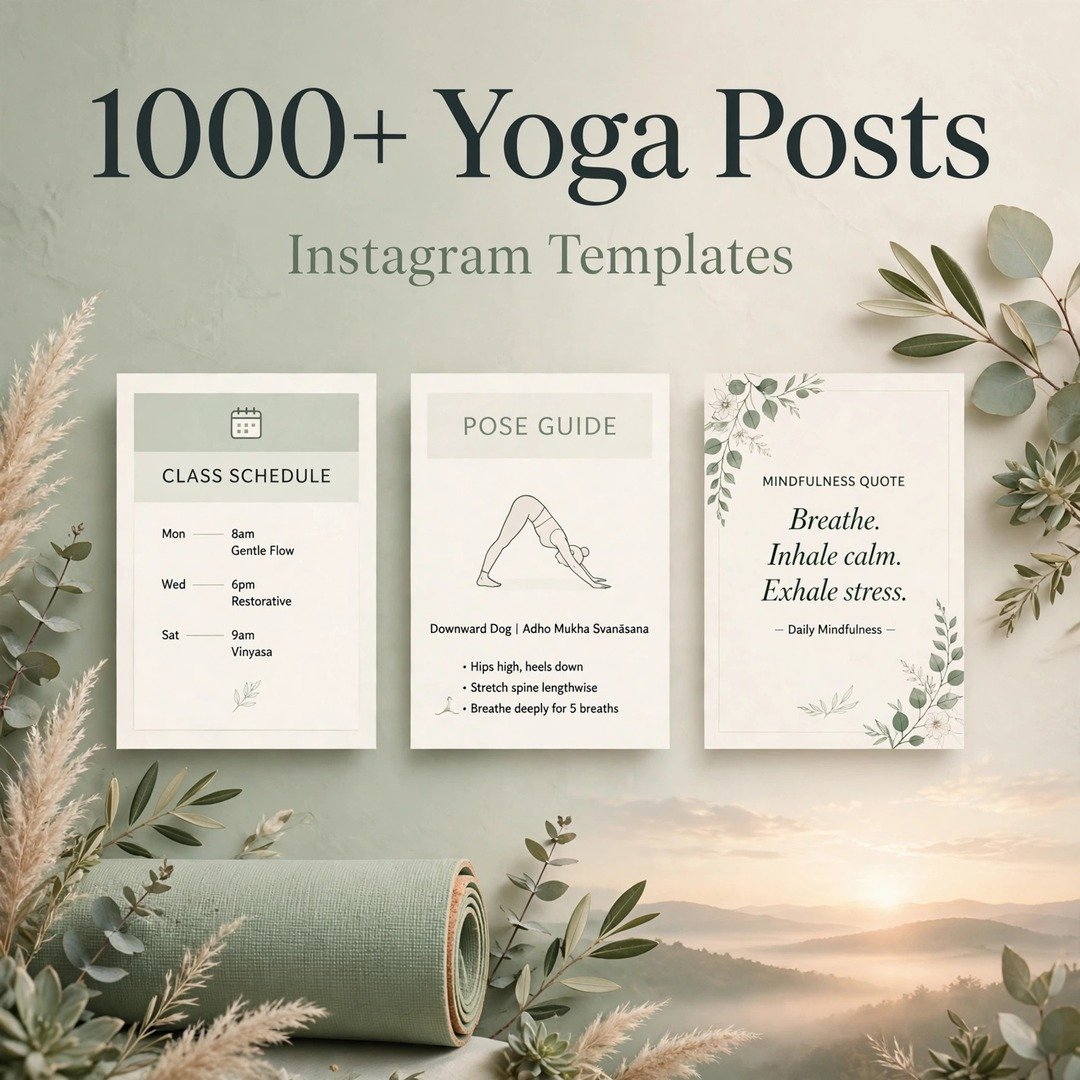
Yoga Instagram post templates help teachers and studios share class schedules, pose guides and mindfulness quotes in calm designs. This bundle includes 1000+ yoga Instagram post templates with class schedules, pose guides, mindfulness quotes and wellness tips. You can edit each design in Canva and post it in minutes.
What Is Included in the Yoga Instagram Post Templates Bundle
The bundle contains 1000+ yoga Instagram post templates. The product page lists class schedules, pose guides, mindfulness quotes and wellness tips in calm designs. Each template is edited in Canva, so you can add your class times, studio name and branding.
How to Use Yoga Instagram Post Templates
Creating a yoga post from a template follows a simple order:
- Choose a template for your message, such as a class schedule or a mindfulness quote.
- Replace the sample text with your class times, pose name or tip.
- Add a calm, uncluttered photo, such as a studio space or a pose.
- Check the times, levels and locations before you publish.
- Post at a regular time each week, so students know when to look.
Who Should Buy This Bundle
These yoga Instagram post templates suit yoga teachers, studios and wellness coaches. They help anyone who wants to share classes and calm, useful tips with students in a consistent style.
Posting Class Schedules Clearly
Schedules are easy to scan when each class has its own line, with the time, level and location. Update the post each week, and remove any class that has been cancelled. A consistent day for schedule posts helps students plan ahead.
Pose Guides and Safety
Pose guides are popular, but they should be simple and safe. Keep instructions short, and remind followers to work within their own limits. Suggest that anyone with an injury or health condition speaks to a qualified professional before trying a new pose.
Mindfulness Quotes With Purpose
Calm quotes suit a studio’s style, but choose ones that connect to your classes. Pair a quote with a short tip, such as a breathing practice, and keep the text easy to read. Rotate quotes regularly, so the feed stays fresh.
Tips for a Calm, Clear Feed
Use soft colours and one focal point per post. Keep the text large enough to read on a phone. Save your favourite layouts in Canva, so your feed stays consistent. Review your schedule posts each week, and update any that are out of date.
Common Mistakes to Avoid
A common mistake is leaving an old class schedule live. Another is leaving sample text on the design. Avoid crowded posts, and do not overuse the same quote. Finally, check the spelling of teacher and class names before publishing.
Quick Checklist Before You Post
- Replace all sample text.
- Check class times, levels and locations.
- Remove any cancelled classes.
- Preview the post on a phone.
Frequently Asked Questions
Can I edit these yoga templates in Canva?
Yes. The product page says you can edit each template in Canva and post it in minutes.
Do I need design skills to use them?
No. The templates are ready to customise, so you change the text and images rather than building a layout from scratch.
Can I use the templates for client work?
Check the licence terms that come with your download before you use the templates for client work or resale.
Building a Consistent Weekly Rhythm
Students appreciate knowing when to expect new posts. Choose two or three fixed days each week for schedules, pose tips and quotes, and stick to them. Plan the month in Canva, so the designs are ready before each class series starts. A steady rhythm builds trust with students and makes your studio feel organised and welcoming.
Explore More Digital Products
Browse more social media bundles in the MN5 DIGITAL shop, or see all products from this seller on the RizStore page. For design basics and Canva tips, visit Canva’s website.









Reviews
There are no reviews yet.