
Description
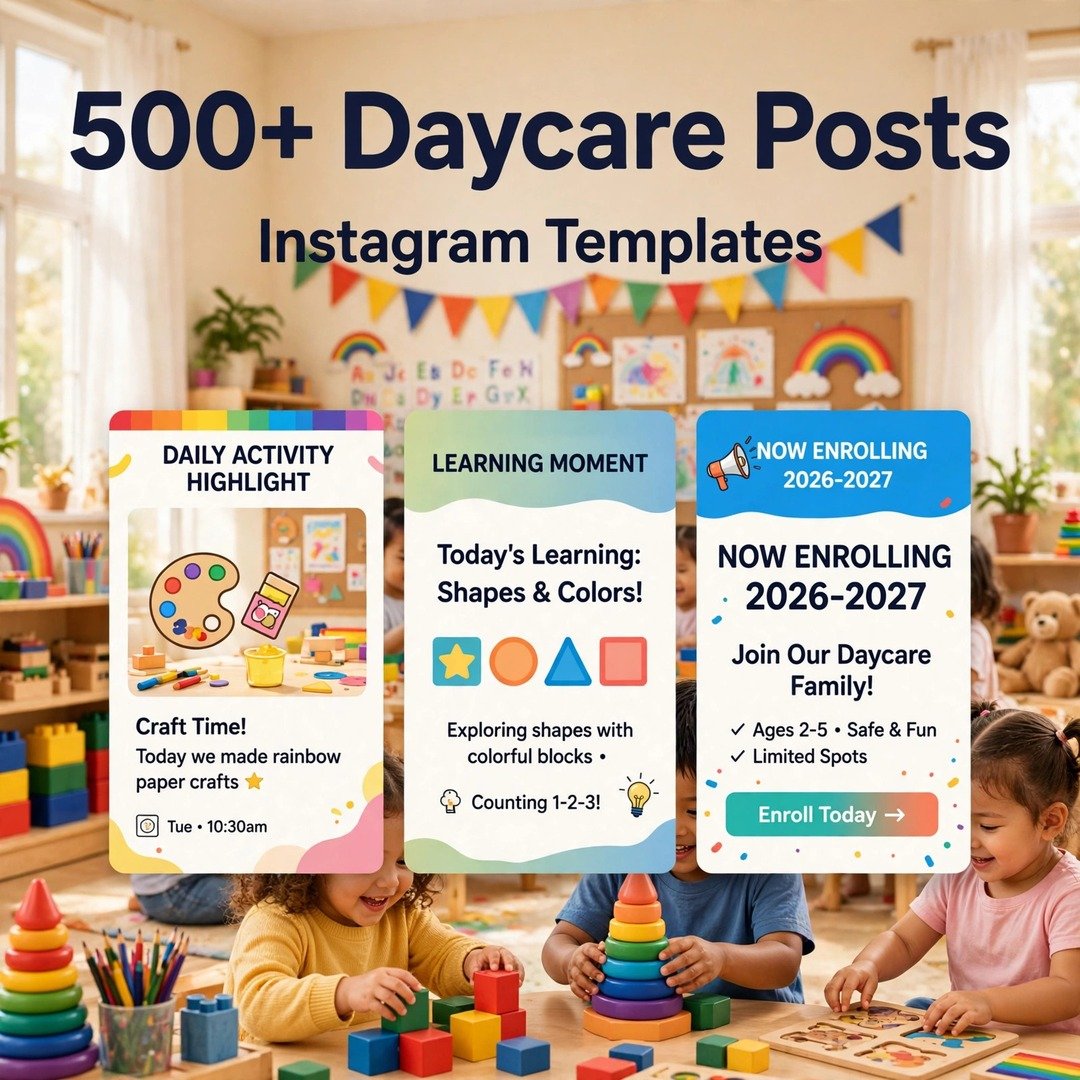
Daycare Instagram post templates help childcare centres and early learning programmes share daily activity highlights, learning moments, enrollment offers and parent tips in cheerful designs. This bundle includes 500+ daycare Instagram post templates with daily activity highlights, learning moments, enrollment offers and parent tips. You can edit each design in Canva and post it in minutes.
What Is Included in the Daycare Instagram Post Templates Bundle
The bundle contains 500+ daycare Instagram post templates. The product page lists daily activity highlights, learning moments, enrollment offers and parent tips in cheerful designs. Each template is edited in Canva, so you can add your programme, opening hours and enrolment details.
How to Use Daycare Instagram Post Templates
Creating a daycare post from a template follows a simple order:
- Choose a template for your message, such as an activity or an enrolment offer.
- Replace the sample text with the activity, lesson or offer.
- Add a photo only with written parental consent, and keep children’s faces out unless consent covers them.
- Check opening hours, places and fees.
- Post at a regular time, and reply to parent enquiries promptly.
Who Should Buy This Bundle
These daycare Instagram post templates suit daycare centres, nurseries, after-school clubs and early learning programmes. They help any childcare provider that wants a bright, warm feed that brings families looking for a safe place for their children.
Showing Daily Activity Highlights
Activity posts show what a typical day looks like. Share one activity per post, such as painting or outdoor play, and describe the learning goal in a sentence. Keep children anonymous, and never tag or name a child.
Celebrating Learning Moments
Learning moments show parents how children grow. Focus on one skill, such as counting or sharing, and explain how staff support it. Only share stories that families have approved, and keep them short.
Enrolment Offers Families Can Follow
Enrolment posts should explain the age groups, opening hours and how to apply. Show the places available, and update the post when spaces fill. Remove any offer that has ended, so families see current information.
Parent Tips That Build Confidence
Parent tips help families feel supported. Share one practical idea per post, such as a simple bedtime routine or a way to prepare for the first day. Keep the advice general, and suggest that parents speak to a health professional about specific concerns.
Planning a Term-Long Content Calendar
Childcare follows the school term, so build your feed around its rhythm. Share a welcome post at the start of each term, activity highlights through the middle, and enrolment reminders near the end. Prepare the designs in Canva in batches, then schedule them. A planned calendar keeps families informed and your places visible.
Tips for Bright, Simple Posts
Use one bright photo or activity as the focal point, and keep the text large and simple. Choose a cheerful palette, and use it across the feed. Save your favourite layouts in Canva so you can publish quickly. Review your enrolment information each term.
Common Mistakes to Avoid
A common mistake is leaving an old fee or term date on the design. Another is sharing a child’s photo without written consent. Avoid crowded layouts, and check that opening hours are correct. Finally, do not keep an enrolment offer live once the places are full.
Quick Checklist Before You Post
- Replace all sample text, fees and opening hours.
- Confirm written consent for any photo of a child.
- Check the places available.
- Preview the post on a phone.
Frequently Asked Questions
Can I edit these daycare templates in Canva?
Yes. The product page says you can edit each template in Canva and post it in minutes.
Do I need design skills to use them?
No. The templates are ready to customise, so you change the text and images rather than building a layout from scratch.
Can I use the templates for client work?
Check the licence terms that come with your download before you use the templates for client work or resale.
Explore More Digital Products
Browse more social media bundles in the MN5 DIGITAL shop, or see all products from this seller on the RizStore page. For design basics and Canva tips, visit Canva’s website.










Reviews
There are no reviews yet.