
Description
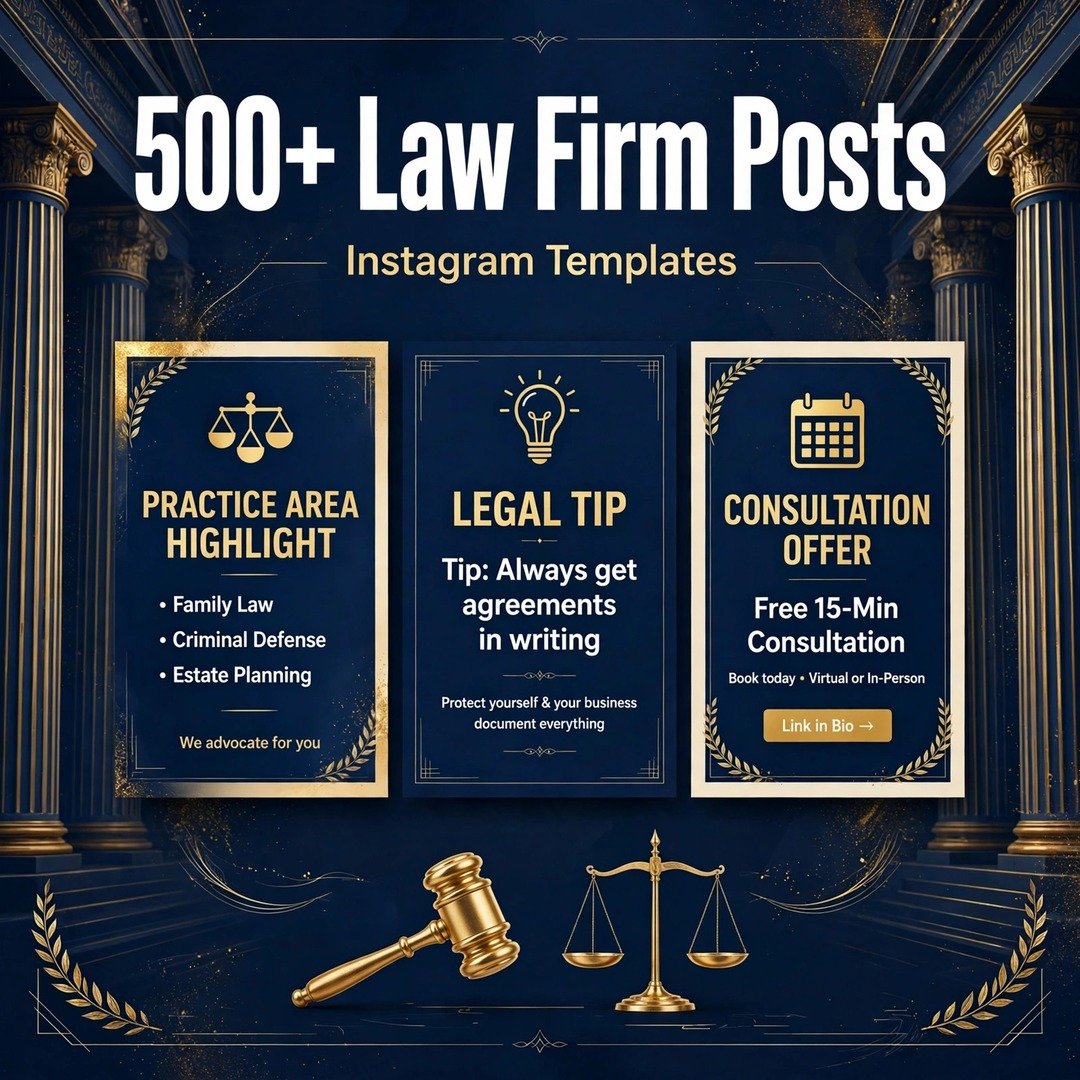
Law firm Instagram post templates help attorneys and legal practices share practice area highlights, legal tips, client stories and consultation offers in professional designs. This bundle includes 500+ law firm Instagram post templates with practice area highlights, legal tips, client stories and consultation offers. You can edit each design in Canva and post it in minutes.
What Is Included in the Law Firm Instagram Post Templates Bundle
The bundle contains 500+ law firm Instagram post templates. The product page lists practice area highlights, legal tips, client stories and consultation offers in professional designs. Each template is edited in Canva, so you can add your practice areas, office details and contact information.
How to Use Law Firm Instagram Post Templates
Creating a law firm post from a template follows a simple order:
- Choose a template for your message, such as a practice area or a consultation offer.
- Replace the sample text with the practice area, tip or offer.
- Add a professional photo of the team or office.
- Check the contact details and consultation terms.
- Post at a regular time, and respond to enquiries promptly.
Who Should Buy This Bundle
These law firm Instagram post templates suit solicitors, attorneys, legal consultancies and small practices across many practice areas. They help any legal practice that wants a professional, trustworthy feed that brings new clients to book a consultation.
Presenting Practice Areas in Plain Language
Practice area posts should explain what the firm handles in plain language. Name the area, describe the type of matter in general terms, and avoid promising results. Link to the matching practice page on your website.
Sharing General Legal Tips Carefully
General legal tips are popular, but they should be accurate and clearly general. Share one simple point per post, and remind readers that each situation is different. Check your jurisdiction’s advertising rules before you publish, and do not give advice on a specific case through social media.
Consultation Offers That Set Expectations
Consultation offers should state what the meeting includes, how long it lasts and whether there is a fee. Make the booking route clear, and remove the offer once your diary is full.
Client Stories and Confidentiality
Client stories can show your work, but confidentiality comes first. Share a story only when the client has agreed in writing, and leave out details that could identify them. Keep the story short, and avoid implying that future clients will get the same outcome. Careful posts protect clients and your firm’s reputation.
Tips for Calm, Professional Posts
Use one clear photo or team portrait per post, and keep the text short. Choose a calm, consistent palette across the feed. Save your favourite layouts in Canva so you can publish quickly. Review your practice areas each year and update any posts that no longer fit your services.
Common Mistakes to Avoid
A common mistake is leaving sample text or an outdated fee on the design. Another is publishing advice that does not match local law. Avoid cluttered layouts, and check that every name and contact detail is correct. Finally, do not keep a consultation offer live when your team is fully booked.
Quick Checklist Before You Post
- Replace all sample text, fees and contact details.
- Check local advertising rules for the post.
- Confirm any client story has written permission.
- Preview the post on a phone.
Frequently Asked Questions
Can I edit these law firm templates in Canva?
Yes. The product page says you can edit each template in Canva and post it in minutes.
Do I need design skills to use them?
No. The templates are ready to customise, so you change the text and images rather than building a layout from scratch.
Can I use the templates for client work?
Check the licence terms that come with your download before you use the templates for client work or resale.
Explore More Digital Products
Browse more social media bundles in the MN5 DIGITAL shop, or see all products from this seller on the RizStore page. For design basics and Canva tips, visit Canva’s website.










Reviews
There are no reviews yet.