
Description
Productivity coach Instagram post templates help productivity coaches share focus tips, coaching highlights, habit advice and free discovery call offers in clean designs. This bundle includes 500+ productivity coach Instagram post templates with focus tips, coaching highlights, habit advice and free discovery call offers. You can edit each design in Canva and post it in minutes.
What Is Included in the Productivity Coach Instagram Post Templates Bundle
The bundle contains 500+ productivity coach Instagram post templates. The product page lists focus tips, coaching highlights, habit advice and free discovery call offers in clean designs. Each template is edited in Canva, so you can add your coaching packages, session format and booking details.
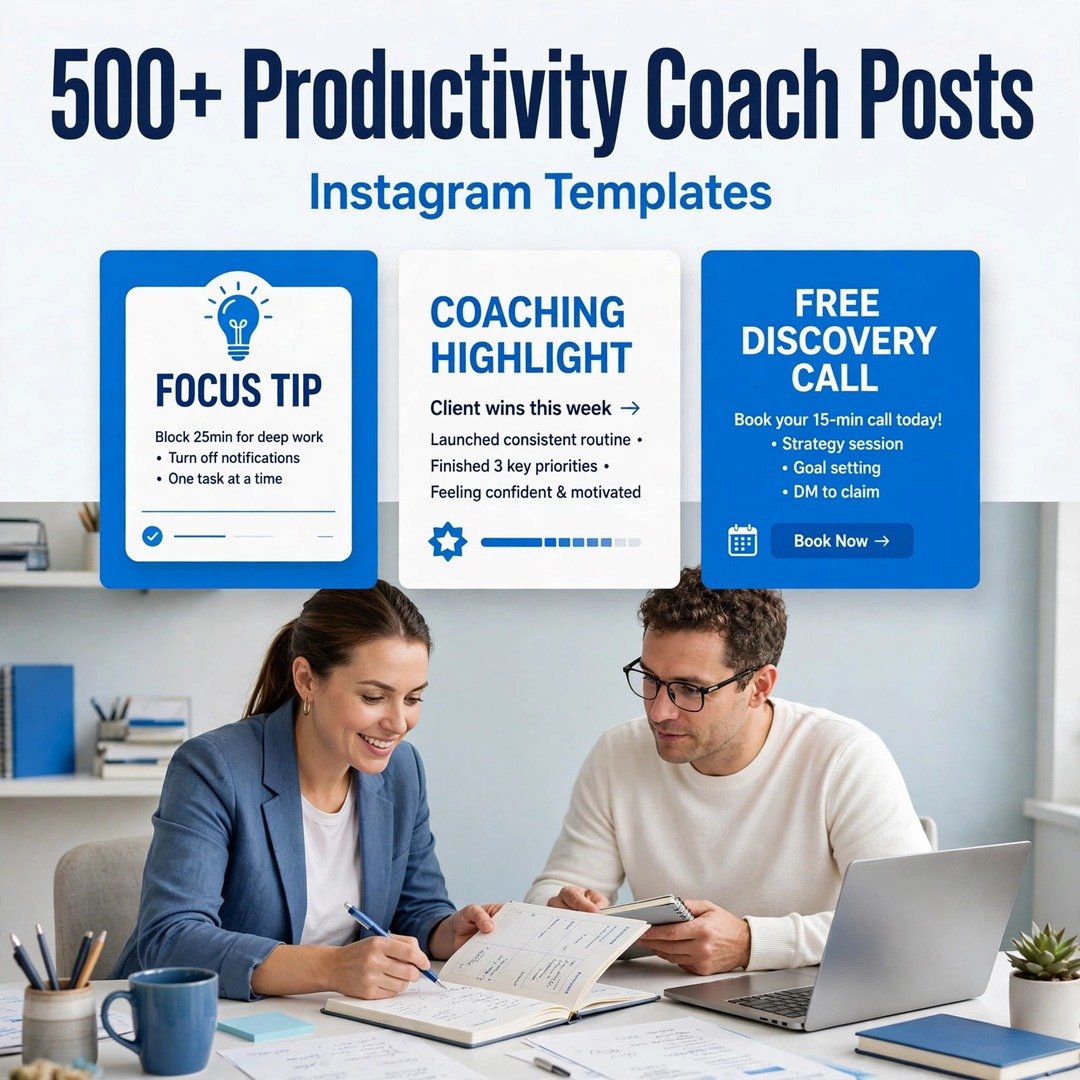
How to Use Productivity Coach Instagram Post Templates
Creating a coaching post from a template follows a simple order:
- Choose a template for your message, such as a focus tip or a discovery call offer.
- Replace the sample text with the habit, tool or offer.
- Add a clean photo of your desk or a simple workspace.
- Check your packages, qualifications and offer terms.
- Post at a regular time, and reply to enquiries promptly.
Who Should Buy This Bundle
These productivity coach Instagram post templates suit productivity coaches, workplace efficiency trainers, habit coaches and remote work advisers. They help any coach who wants a practical, organised feed that brings busy professionals to book a discovery call.
Sharing Focus Tips
Focus tips are most useful when they are short and practical. Share one idea per post, such as turning off notifications for one work block or writing the top three tasks each morning. Keep the advice general, and remind readers that the right system depends on their job and workload.
Highlighting Coaching Sessions
Coaching highlight posts show how your sessions help clients work better. Describe one step of the process in plain language, such as reviewing a weekly task list or setting a simple routine. Avoid naming clients or sharing their work results without written permission.
Habit Advice That Helps
Habit posts can give readers a simple way to start. Share one small habit per post, such as a five-minute planning session before the working day begins. Avoid promising that a system will double output or end procrastination, because results vary from person to person.
Planning a Monthly Productivity Calendar
Productivity goals often follow the calendar, such as the start of a new year, the end of a quarter and the busy holiday season. Share a planning idea in January, a review tip near the end of each quarter and a reset reminder before the holidays. Prepare the designs in Canva at the start of each month, then schedule them. A steady calendar keeps your coaching visible when people are setting new priorities.
Tips for Clean, Focused Posts
Use one clear image per post, and keep the text short. Choose a calm palette, such as white, soft grey and one accent colour. Save your favourite layouts in Canva so you can publish quickly. Review your packages and offers each season.
Common Mistakes to Avoid
A common mistake is leaving an old price or package name on the design. Another is suggesting that one app or method works for everyone. Avoid promises of doubled output or guaranteed results, and do not keep a free discovery call offer live once your calendar is full.
Quick Checklist Before You Post
- Replace all sample text, prices and package names.
- Remove any promises of doubled output or guaranteed results.
- Confirm that any app or tool you name is one you use or recommend.
- Preview the post on a phone.
Frequently Asked Questions
Can I edit these productivity coach templates in Canva?
Yes. The product page says you can edit each template in Canva and post it in minutes.
Do I need design skills to use them?
No. The templates are ready to customise, so you change the text and images rather than building a layout from scratch.
Can I use the templates for client work?
Check the licence terms that come with your download before you use the templates for client work or resale.
Explore More Digital Products
Browse more social media bundles in the MN5 DIGITAL shop, or see all products from this seller on the RizStore page. For design basics and Canva tips, visit Canva’s website.







Reviews
There are no reviews yet.