
Description
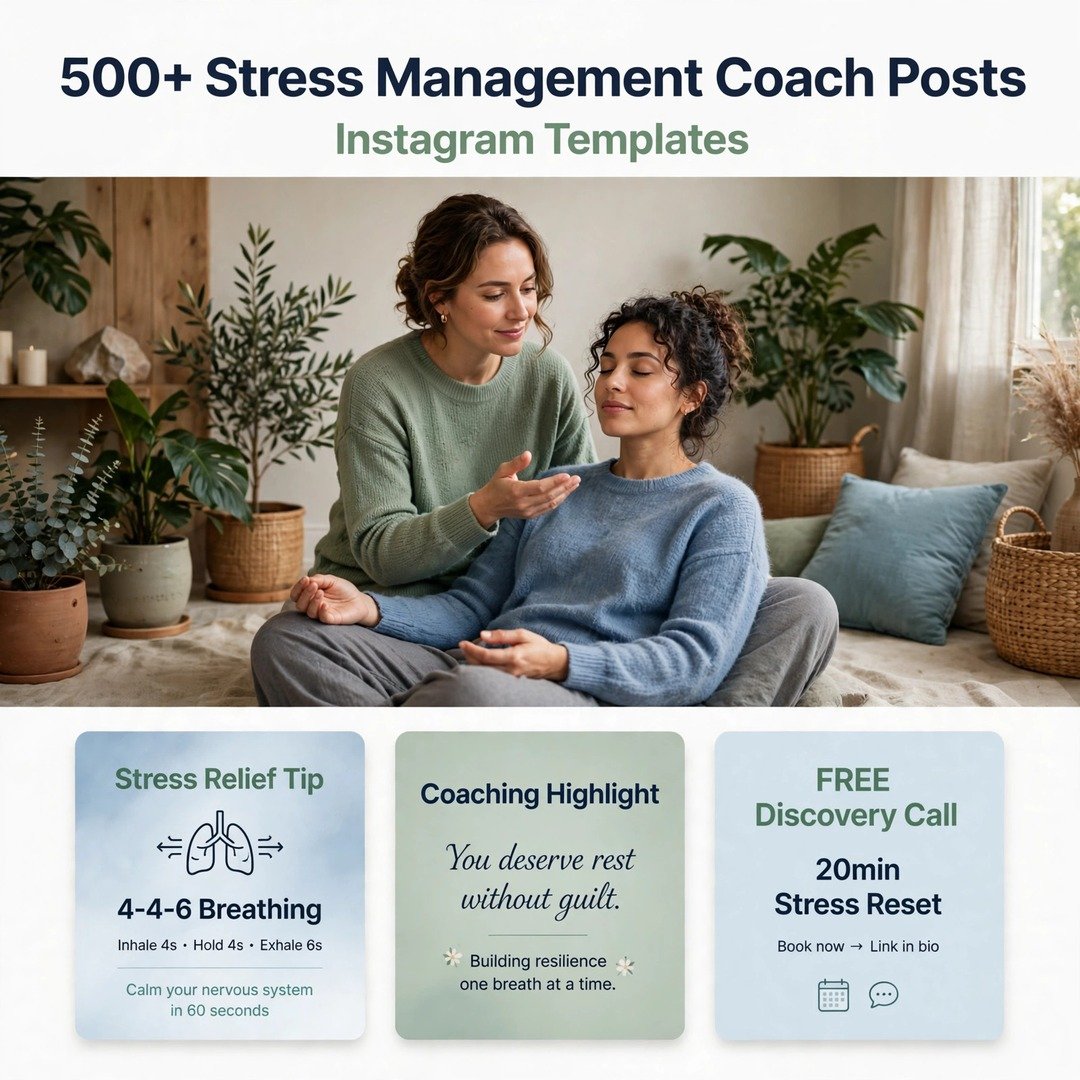
Stress management coach Instagram post templates help stress management coaches share stress relief tips, coaching highlights, balance advice and free discovery call offers in soothing designs. This bundle includes 500+ stress management coach Instagram post templates with stress relief tips, coaching highlights, balance advice and free discovery call offers. You can edit each design in Canva and post it in minutes.
What Is Included in the Stress Management Coach Instagram Post Templates Bundle
The bundle contains 500+ stress management coach Instagram post templates. The product page lists stress relief tips, coaching highlights, balance advice and free discovery call offers in soothing designs. Each template is edited in Canva, so you can add your programmes, session format and booking details.
How to Use Stress Management Coach Instagram Post Templates
Creating a coaching post from a template follows a simple order:
- Choose a template for your message, such as a stress relief tip or a discovery call offer.
- Replace the sample text with the technique, tip or offer.
- Add a calm photo of a quiet space or a simple nature scene.
- Check your programmes, qualifications and offer terms.
- Post at a regular time, and reply to enquiries promptly.
Who Should Buy This Bundle
These stress management coach Instagram post templates suit stress management coaches, workplace wellbeing trainers, life balance coaches and resilience mentors. They help any coach who wants a steady feed that brings busy people to book a discovery call.
Sharing Stress Relief Tips
Stress relief tips are most useful when they are short and simple. Share one technique per post, such as a slow breathing exercise or a five-minute walk between tasks. Keep the advice general, and suggest that anyone with ongoing stress symptoms speaks to a doctor.
Highlighting Coaching Programmes
Programme posts can show how your coaching helps clients manage pressure. Describe the steps in plain language, such as identifying stress triggers or planning recovery time. Avoid claiming that coaching treats anxiety, burnout or any other medical condition.
Balance Advice Without Promises
Balance posts can suggest one small change to a busy week. Share one idea per post, such as setting a fixed finish time for work or saying no to one request. Avoid promising that stress will disappear, because each person’s workload and circumstances are different.
Planning a Seasonal Stress Calendar
Stress levels often rise at predictable points, such as exam periods, the end of a financial year and the busy holiday season. Share a calming tip before a known busy period, a recovery idea during quieter weeks and a reset reminder after a peak. Prepare the designs in Canva at the start of each month, then schedule them. A steady calendar keeps your coaching visible when people feel the pressure building.
Tips for Soothing, Balanced Posts
Use one calm image per post, and keep the text short. Choose a soothing palette, such as soft green, grey and warm beige. Save your favourite layouts in Canva so you can publish quickly. Review your programmes and offers each season.
Common Mistakes to Avoid
A common mistake is leaving an old price or programme name on the design. Another is describing stress as a medical diagnosis. Avoid cure claims or promises that stress will end, and do not keep a free discovery call offer live once your calendar is full.
Quick Checklist Before You Post
- Replace all sample text, prices and programme names.
- Remove any cure or treatment claims.
- Confirm that ongoing stress symptoms point readers to a doctor.
- Preview the post on a phone.
Frequently Asked Questions
Can I edit these stress management coach templates in Canva?
Yes. The product page says you can edit each template in Canva and post it in minutes.
Do I need design skills to use them?
No. The templates are ready to customise, so you change the text and images rather than building a layout from scratch.
Can I use the templates for client work?
Check the licence terms that come with your download before you use the templates for client work or resale.
Explore More Digital Products
Browse more social media bundles in the MN5 DIGITAL shop, or see all products from this seller on the RizStore page. For design basics and Canva tips, visit Canva’s website.








Reviews
There are no reviews yet.