
Description
Coaching Instagram post templates help business and life coaches share mindset quotes, client tips and success stories in a professional style. This bundle includes 500+ coaching Instagram post templates with mindset quotes, client tips, booking prompts and success stories in professional styles. You can edit each design in Canva and post it in minutes.
What Is Included in the Coaching Instagram Post Templates Bundle
The bundle contains 500+ coaching Instagram post templates. The product page lists mindset quotes, client tips, booking prompts and success stories in professional styles. Each template is edited in Canva, so you can add your own message, offer and personal branding.
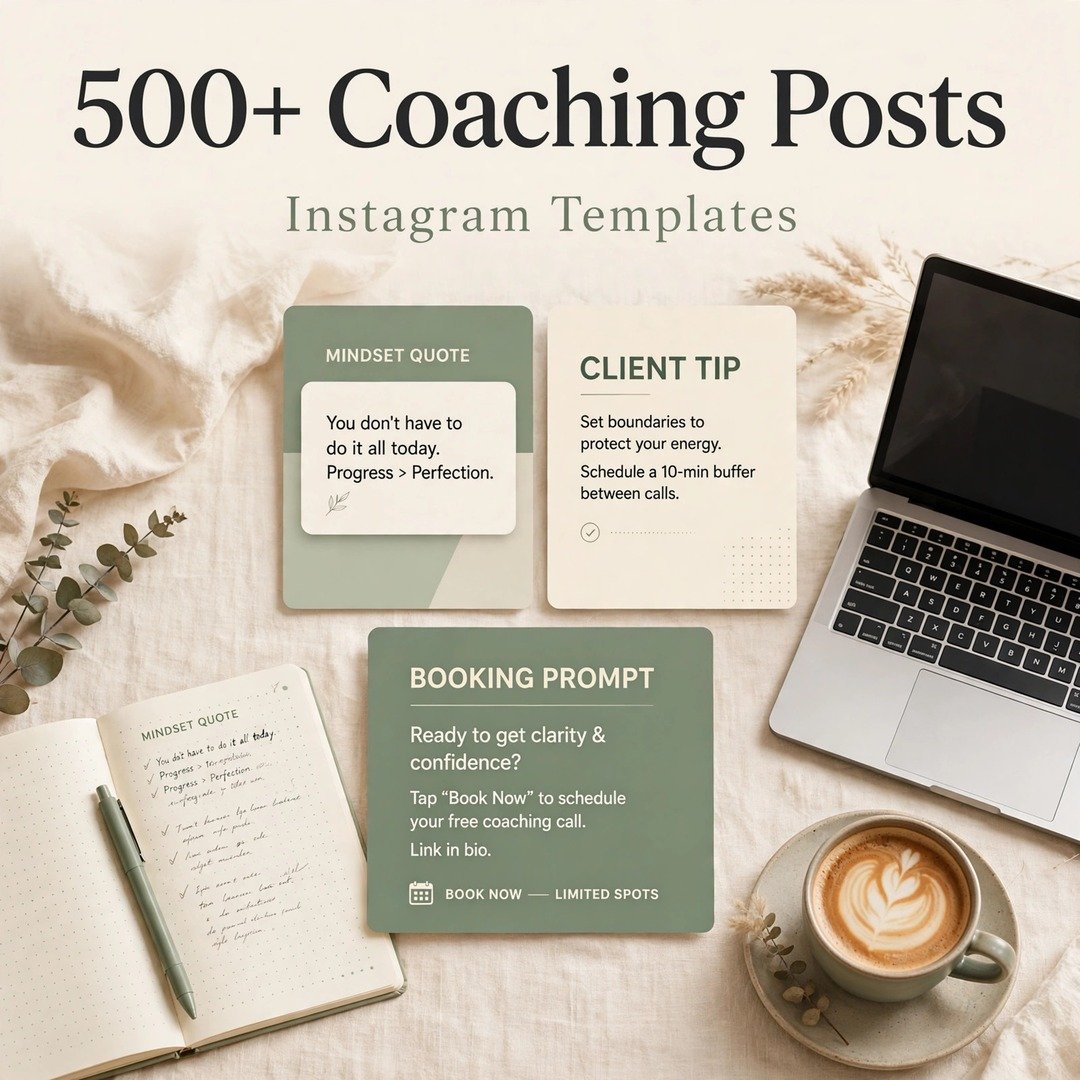
How to Use Coaching Instagram Post Templates
Creating a coaching post from a template follows a simple order:
- Choose a template for your message, such as a mindset quote or a client tip.
- Replace the sample text with your own wording, keeping the main idea short.
- Add your name, photo or logo so followers recognise your brand.
- Check the post on a phone for readability.
- Schedule the post for a regular time each week.
Who Should Buy This Bundle
These coaching Instagram post templates suit business coaches, life coaches, consultants and mentors. They help anyone who wants a professional feed that shares value before asking for a booking.
Writing Booking Prompts That Feel Natural
A booking prompt works best when it is simple and specific. Invite followers to book a call, join a session or download a free resource, and keep only one call to action per post. Mix these prompts with helpful tips, so the feed never feels like a constant sales pitch.
Sharing Success Stories With Permission
Client success stories build trust, but only share them with the client’s permission. Describe the real change honestly, and avoid promising guaranteed results. A short quote from the client, with their approval, often works better than a long claim.
Tips for Posts That Stand Out
Use a clear, professional layout with one main message per post. Choose two or three brand colours, and use them consistently. Save your favourite layouts in Canva, so you can publish quickly. Review your feed each month and keep the posts that bring real conversations.
Common Mistakes to Avoid
A common mistake is leaving sample text or an old date on the design. Another is posting too many sales prompts in a row. Avoid vague quotes that do not connect to your service, and check that your booking link works. Finally, do not share client stories without permission.
Quick Checklist Before You Post
- Replace all sample text.
- Check that your booking link and details are correct.
- Confirm you have permission for any client stories.
- Preview the post on a phone.
Frequently Asked Questions
Can I edit these coaching templates in Canva?
Yes. The product page says you can edit each template in Canva and post it in minutes.
Do I need design skills to use them?
No. The templates are ready to customise, so you change the text and photo rather than building a layout from scratch.
Can I use the templates for client work?
Check the licence terms that come with your download before you use the templates for client work or resale.
Turning Client Questions Into Posts
The questions clients ask during calls make excellent content. Turn the most common ones into short tips, and use a template to present each answer clearly. Post a question first, then answer it in the next post, so followers stay engaged. This approach keeps your content useful and helps people see how you think before they book.
Explore More Digital Products
Browse more social media bundles in the MN5 DIGITAL shop, or see all products from this seller on the RizStore page. For design basics and Canva tips, visit Canva’s website.







Reviews
There are no reviews yet.