
Description
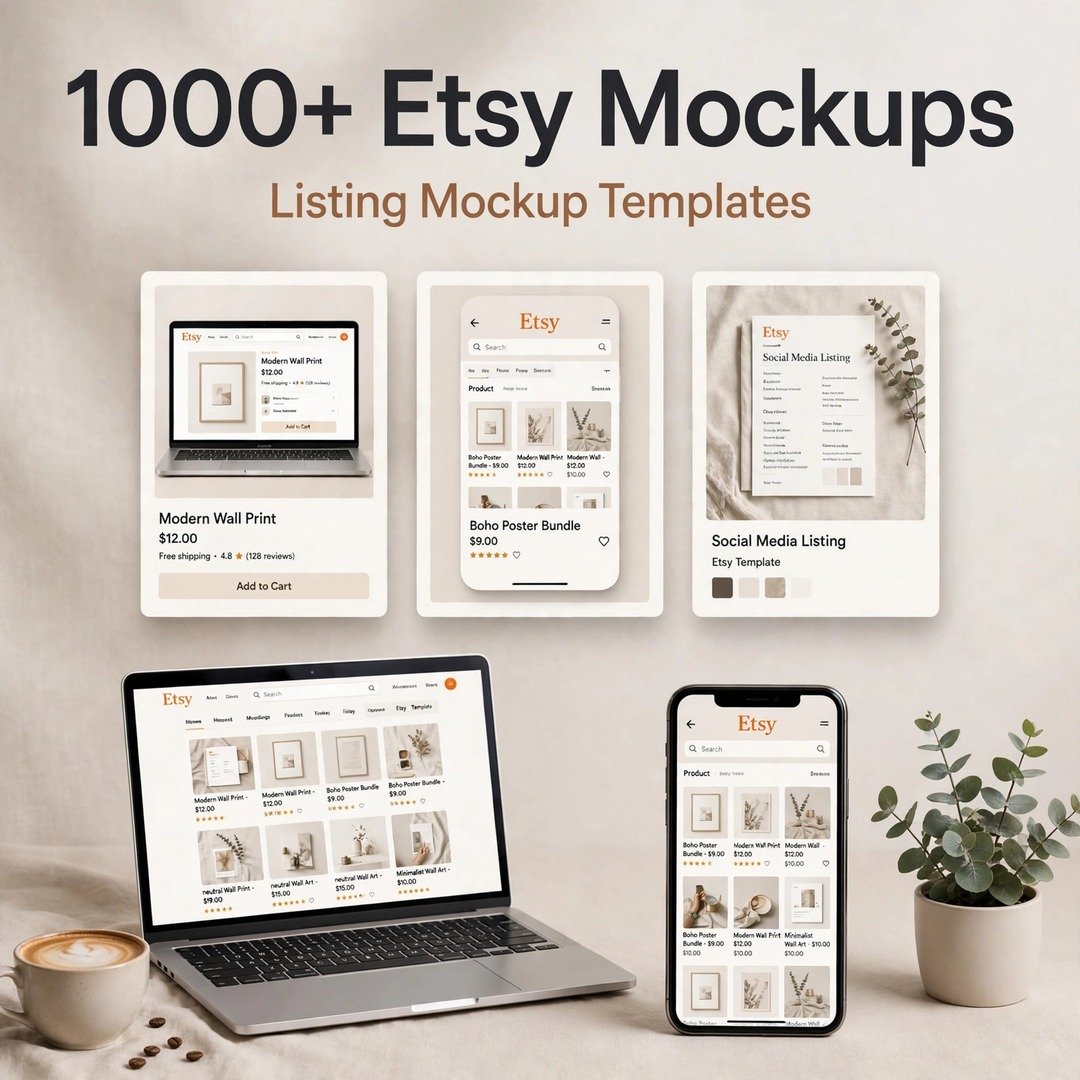
Etsy listing mockup templates help you show your products at their best on your shop pages. This bundle includes 1000+ Etsy listing mockup templates with clean product mockups, lifestyle scenes and flat-lay designs in many styles. You can edit each design in Canva and list it in minutes.
What Is Included in the Etsy Listing Mockup Templates Bundle
The bundle contains 1000+ Etsy listing mockup templates. The product page describes clean product mockups, lifestyle scenes and flat-lay designs in many styles. Each template is edited in Canva, so you can place your own product photo and add your shop branding.
How to Use Etsy Listing Mockup Templates
Preparing a listing image from a template follows a simple order:
- Choose a mockup that suits your product type, such as a clean studio shot or a lifestyle scene.
- Place your own product photo into the template, and keep the item in clear focus.
- Replace the sample text with a short label, such as the product name or main benefit.
- Match the colours and fonts to your shop branding.
- Export the image and compare it with the other photos in your listing.
Who Should Buy This Bundle
These Etsy listing mockup templates suit Etsy sellers, print-on-demand creators and makers who sell handmade goods. They also help shops that want a consistent look across many listings without commissioning a photographer for every product.
Showing Products Clearly
The first image in a listing is the one shoppers see in search results, so it deserves the most care. Keep the background uncluttered and the product large enough to see. Flat-lay designs work well for small items, while lifestyle scenes help buyers imagine the product in use.
Keeping Your Shop Consistent
A consistent shop helps buyers recognise your brand. Choose one background style, one colour palette and one font, and use them across every listing. Reuse your best layouts for new products, so each listing takes minutes to prepare.
Tips for Stronger Listing Images
Use good natural light and keep your product photos sharp. Show the item at a sensible size, and avoid overlaying so much text that the product becomes hard to see. Save your favourite mockups in Canva, so you can reuse them as your range grows. Review your images after each season and refresh any that look dated.
Common Mistakes to Avoid
A common mistake is leaving sample text on the mockup. Another is using a photo that does not match the item the buyer will receive. Avoid busy backgrounds that distract from the product, and check that the image shows the item accurately. Finally, do not overuse the same mockup across unrelated products.
Quick Checklist Before You List
- Replace all sample text.
- Check that the product photo matches the item you sell.
- Preview the image at thumbnail size.
- Confirm the colours match your shop branding.
Frequently Asked Questions
Can I edit these mockups in Canva?
Yes. The product page says you can edit each template in Canva and list it in minutes.
Do I need design skills to use them?
No. The templates are ready to customise, so you place your photo and change the text rather than building a layout from scratch.
Can I use the mockups for client work?
Check the licence terms that come with your download before you use the templates for client work or resale.
Building a Full Set of Listing Images
A strong listing usually has several images, each with a different job. Use one clean shot for the main image, a lifestyle scene to show use, and a flat-lay for detail. Keep the same style across the set, so buyers can see the whole product range clearly. Review the set together before you publish, and remove any image that repeats another.
Explore More Digital Products
Browse more design bundles in the MN5 DIGITAL shop, or see all products from this seller on the RizStore page. For design basics and Canva tips, visit Canva’s website.





Reviews
There are no reviews yet.