
Description
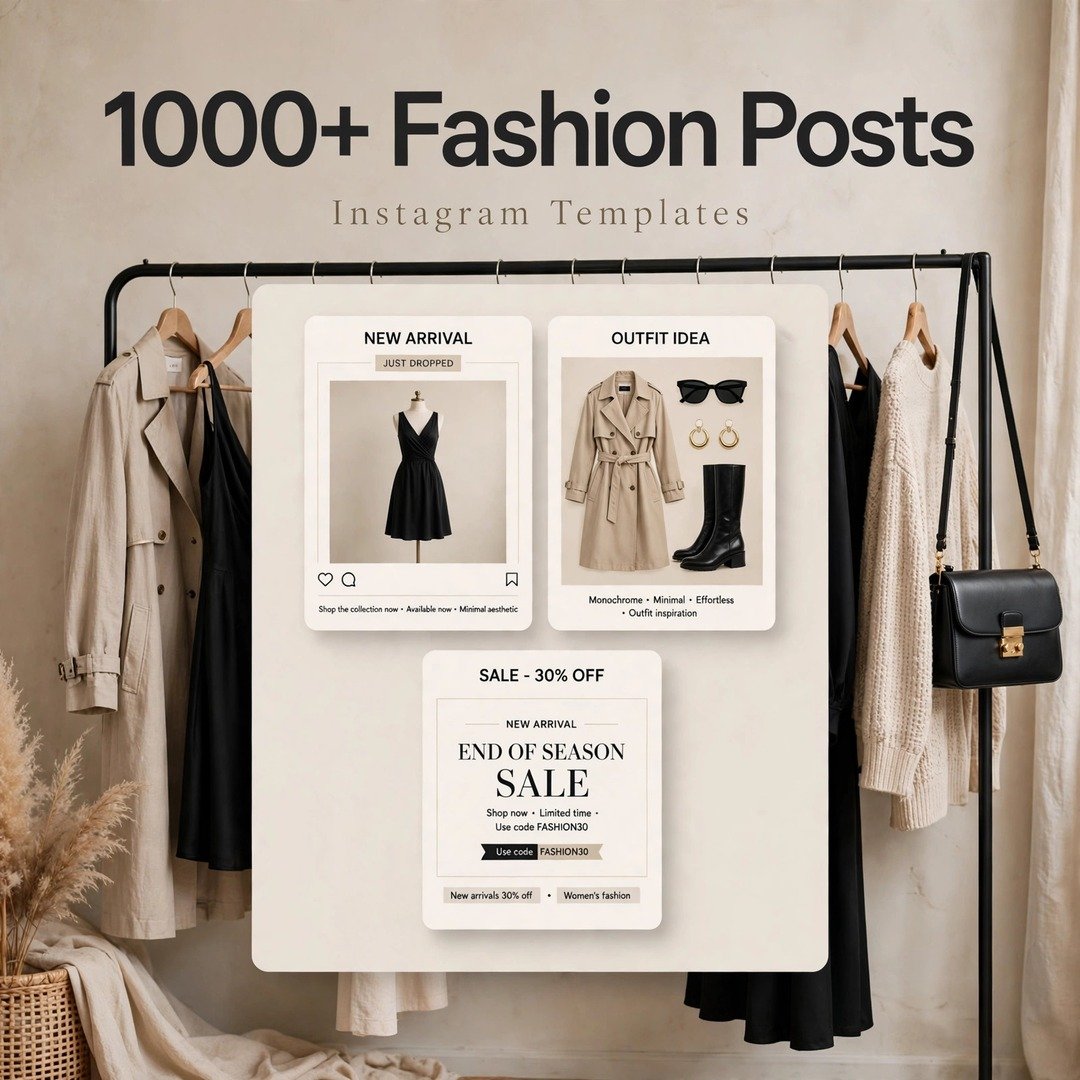
Fashion Instagram post templates help boutiques and fashion brands share new arrivals, outfit ideas and sales in a chic style. This bundle includes 1000+ fashion Instagram post templates with new arrivals, outfit ideas, sale announcements and style tips in chic designs. You can edit each design in Canva and post it in minutes.
What Is Included in the Fashion Instagram Post Templates Bundle
The bundle contains 1000+ fashion Instagram post templates. The product page lists new arrivals, outfit ideas, sale announcements and style tips in chic designs. Each template is edited in Canva, so you can add your pieces, prices and brand details.
How to Use Fashion Instagram Post Templates
Creating a fashion post from a template follows a simple order:
- Choose a template that suits the message, such as a new arrival or an outfit idea.
- Replace the sample text with the piece name, price or style tip.
- Add a clear product photo, and keep the garment in focus.
- Match the colours and fonts to your boutique branding.
- Post the design, then check how it looks in your feed grid.
Who Should Buy This Bundle
These fashion Instagram post templates suit boutiques, fashion brands, personal stylists and online clothing sellers. They help any shop that wants a polished, consistent feed without designing each post from scratch.
Showing New Arrivals Clearly
New arrivals work best with a clear product photo, the name of the piece and the date it becomes available. Keep the template simple, so the outfit stays the focus. Use a consistent layout for each drop, so followers can spot new stock quickly.
Outfit Ideas That Inspire
Outfit posts show customers how to wear a piece. Pair one item with two or three suggestions, and keep the text brief. Mix outfit posts with sale announcements, so the feed stays inspiring rather than pushy.
Sale Announcements Done Well
Sale posts need clear dates, discount details and any exclusions. Remove the post once the sale ends, and avoid overusing the word sale. A calm, well-designed announcement often works better than a loud one.
Tips for a Chic Feed
Use a limited colour palette and one font style across the feed. Keep one main message per post, and use large text for the key words. Save your favourite layouts in Canva, so you can publish new arrivals quickly. Review the feed each month and refresh posts that look dated.
Common Mistakes to Avoid
A common mistake is leaving sample prices or names on the design. Another is showing a photo that does not match the stock you hold. Avoid cluttered layouts that hide the garment, and check sizes and spellings. Finally, do not promote a sale or drop after it has ended.
Quick Checklist Before You Post
- Replace all sample text and prices.
- Check that the photo matches the item in stock.
- Confirm sale dates and exclusions.
- Preview the post on a phone.
Frequently Asked Questions
Can I edit these fashion templates in Canva?
Yes. The product page says you can edit each template in Canva and post it in minutes.
Do I need design skills to use them?
No. The templates are ready to customise, so you change the text and photos rather than building a layout from scratch.
Can I use the templates for client work?
Check the licence terms that come with your download before you use the templates for client work or resale.
Planning Your Weekly Posting Schedule
A simple weekly plan keeps a boutique feed steady and easy to manage. Set aside one day for new arrivals, another for outfit ideas and a third for sales or style tips. Batch your designs in Canva at the start of the week, then schedule them ahead of time. A predictable rhythm helps followers know what to expect, and it keeps your shop visible without daily stress.
Explore More Digital Products
Browse more social media bundles in the MN5 DIGITAL shop, or see all products from this seller on the RizStore page. For design basics and Canva tips, visit Canva’s website.







Reviews
There are no reviews yet.