
Description
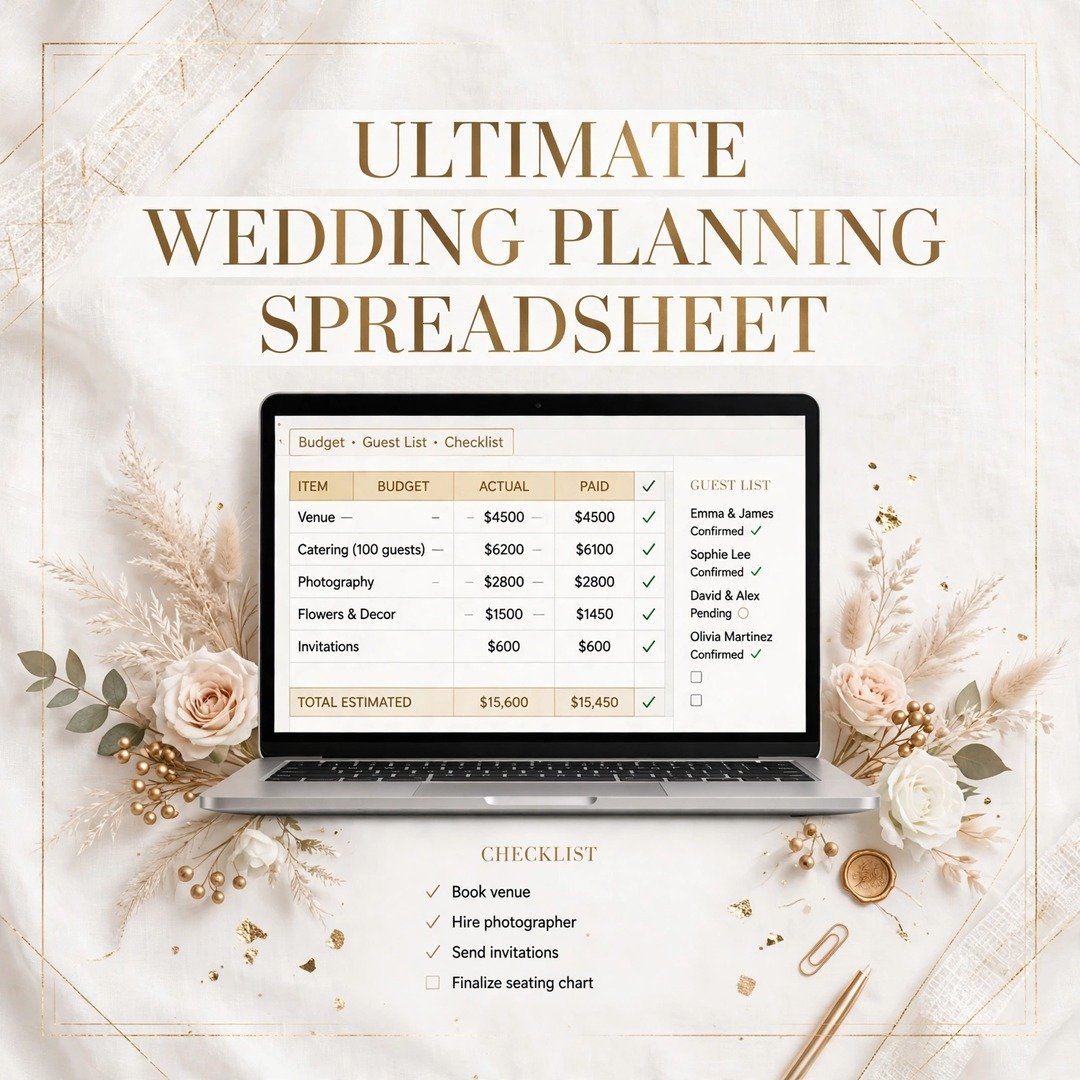
A wedding planning spreadsheet keeps your budget, guest list, vendors and timeline in one place. This ultimate version includes a budget tracker, guest list manager, vendor checklist, timeline and seating plan, and it works in Google Sheets and Excel.
What Is Included in the Wedding Planning Spreadsheet
The spreadsheet contains five planning tools: a budget tracker, a guest list manager, a vendor checklist, a timeline and a seating plan. The product page says it is fully editable and reusable, so you can adapt each tool to your own wedding.
How to Use the Wedding Planning Spreadsheet
Start your wedding planning spreadsheet with the budget. Follow these steps:
- Open the file in Google Sheets or Excel.
- Enter your total wedding budget in the budget tracker.
- Add guests to the guest list manager as you collect names.
- Track every vendor in the vendor checklist with its contact details and status.
- Build your timeline and seating plan once the guest list is clear.
Update the wedding planning spreadsheet each week, especially after you book a vendor or change the guest count. Small, regular updates keep the budget honest.
Who Should Buy This Wedding Planning Spreadsheet
This spreadsheet is made for brides, grooms and wedding planners who want a stress-free wedding. It also helps couples who prefer a clear system over notes scattered across phones and paper.
Tips for Staying On Budget
Set your budget before you book any vendors. Add a small buffer for extra costs, then track every payment in the budget tracker. Review the totals each month so you can spot overspending early.
Keep a backup copy in cloud storage. If your device is lost or damaged, your planning stays safe.
Frequently Asked Questions
Does it work in Excel as well as Google Sheets?
Yes. The product page says the wedding planning spreadsheet works in Google Sheets and Excel.
Can I change the layout?
The product page describes the file as fully editable, so you can change the tabs, rows and formulas to suit your wedding.
Quick Checklist Before Your First Update
- Fill in your budget first, then add vendors.
- Check that every formula still works after you change a row.
- Keep one master copy and make a separate copy for each planning session.
- Share the file only with people who need access to the details.
Common Mistakes to Avoid With a Wedding Planning Spreadsheet
A common mistake is leaving the budget until last. Enter your budget first, so every vendor booking shows how much is left. Another mistake is entering guest names in several tabs, which creates mismatched counts. Keep the guest list in one place and link other tabs to it where your formulas allow. Finally, avoid deleting rows to tidy the sheet. Hide or group them instead, so your formulas keep working and you can still see past entries.
More Questions About the Wedding Planning Spreadsheet
Can I share the spreadsheet with my partner or planner?
Yes, if you use Google Sheets or Excel, you can share the file with people who need to see or edit it. Set edit access carefully, so only the right people can change the budget or the guest list.
Should I start with the budget or the guest list?
Start with the budget. Your total spending limit affects how many guests you can host and which vendors you can book, so setting it first makes the rest of your planning easier.
Explore More Digital Products
Browse more wedding and planning templates in the MN5 DIGITAL shop, or see all products from this seller on the RizStore page. To learn more about the tool, visit Google Sheets.






Reviews
There are no reviews yet.