
Description
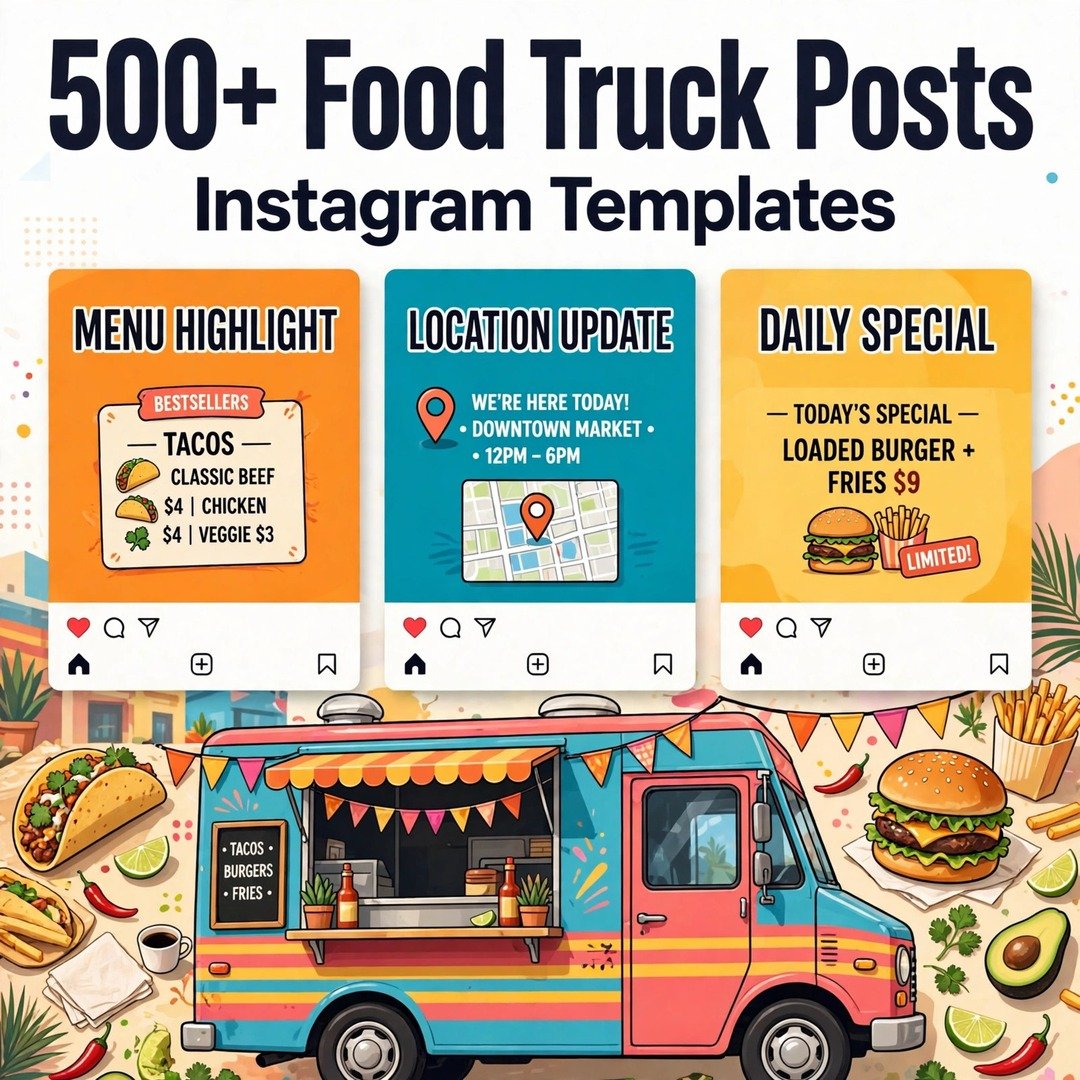
Food truck Instagram post templates help street food vendors share menu highlights, location updates and daily specials in tasty designs. This bundle includes 500+ food truck Instagram post templates with menu highlights, location updates, daily specials and food photos. You can edit each design in Canva and post it in minutes.
What Is Included in the Food Truck Instagram Post Templates Bundle
The bundle contains 500+ food truck Instagram post templates. The product page lists menu highlights, location updates, daily specials and food photos in tasty designs. Each template is edited in Canva, so you can add your menu, route and opening hours.
How to Use Food Truck Instagram Post Templates
Creating a food truck post from a template follows a simple order:
- Choose a template for your message, such as a location update or a daily special.
- Replace the sample text with the dish, the place or the time.
- Add a clear, bright photo of the food, taken at the truck.
- Check the location, opening hours and sold-out items.
- Post at a regular time, and remind followers of your next stop.
Who Should Buy This Bundle
These food truck Instagram post templates suit mobile food vendors, street food stalls, pop-up kitchens and catering trucks. They help any mobile food business that wants a bold, consistent feed that brings long lines.
Showing Your Menu Highlights
Menu posts should show the dishes customers can order today. Photograph each item in good light, and state the price range clearly. Update the post when a dish sells out, so followers are not disappointed when they arrive.
Sharing Location Updates Clearly
Location posts help followers find the truck. Share the street, the time window and any parking notes in plain language. Post the update before you set up, and repeat it on the day. Only name a spot you have permission to use.
Daily Specials as a Weekly Series
Daily specials work well as a short weekly series. Feature one special per post, and say how long it lasts. Remove the post once the special ends, so followers see only current offers.
Building a Weekly Posting Routine
Food trucks often move between locations, so a weekly routine keeps followers informed. Plan the week’s stops on Sunday, and prepare location and special posts in Canva in advance. Schedule each one for the morning before you open. A predictable pattern helps regulars know when to expect you.
Tips for Appetising, Bold Posts
Use one dish as the focal point, and keep the text short and bold. Choose a palette that matches your truck’s branding. Save your favourite layouts in Canva so you can publish quickly. Check each post on a phone before it goes live.
Common Mistakes to Avoid
A common mistake is leaving an old location or opening time on the design. Another is advertising a dish that has sold out. Avoid cluttered layouts that hide the food, and check local rules before advertising a street spot. Finally, do not keep a daily special live after it has ended.
Quick Checklist Before You Post
- Replace all sample text, prices and locations.
- Confirm the dish is available today.
- Check opening hours and the stop.
- Preview the post on a phone.
Frequently Asked Questions
Can I edit these food truck templates in Canva?
Yes. The product page says you can edit each template in Canva and post it in minutes.
Do I need design skills to use them?
No. The templates are ready to customise, so you change the text and images rather than building a layout from scratch.
Can I use the templates for client work?
Check the licence terms that come with your download before you use the templates for client work or resale.
Explore More Digital Products
Browse more social media bundles in the MN5 DIGITAL shop, or see all products from this seller on the RizStore page. For design basics and Canva tips, visit Canva’s website.








Reviews
There are no reviews yet.