
Description
Event planner Instagram post templates help planners share event showcases, planning tips, client stories and booking offers in festive designs. This bundle includes 500+ event planner Instagram post templates with event showcases, planning tips, client stories and booking offers. You can edit each design in Canva and post it in minutes.
What Is Included in the Event Planner Instagram Post Templates Bundle
The bundle contains 500+ event planner Instagram post templates. The product page lists event showcases, planning tips, client stories and booking offers in festive designs. Each template is edited in Canva, so you can add your event photos, packages and contact details.
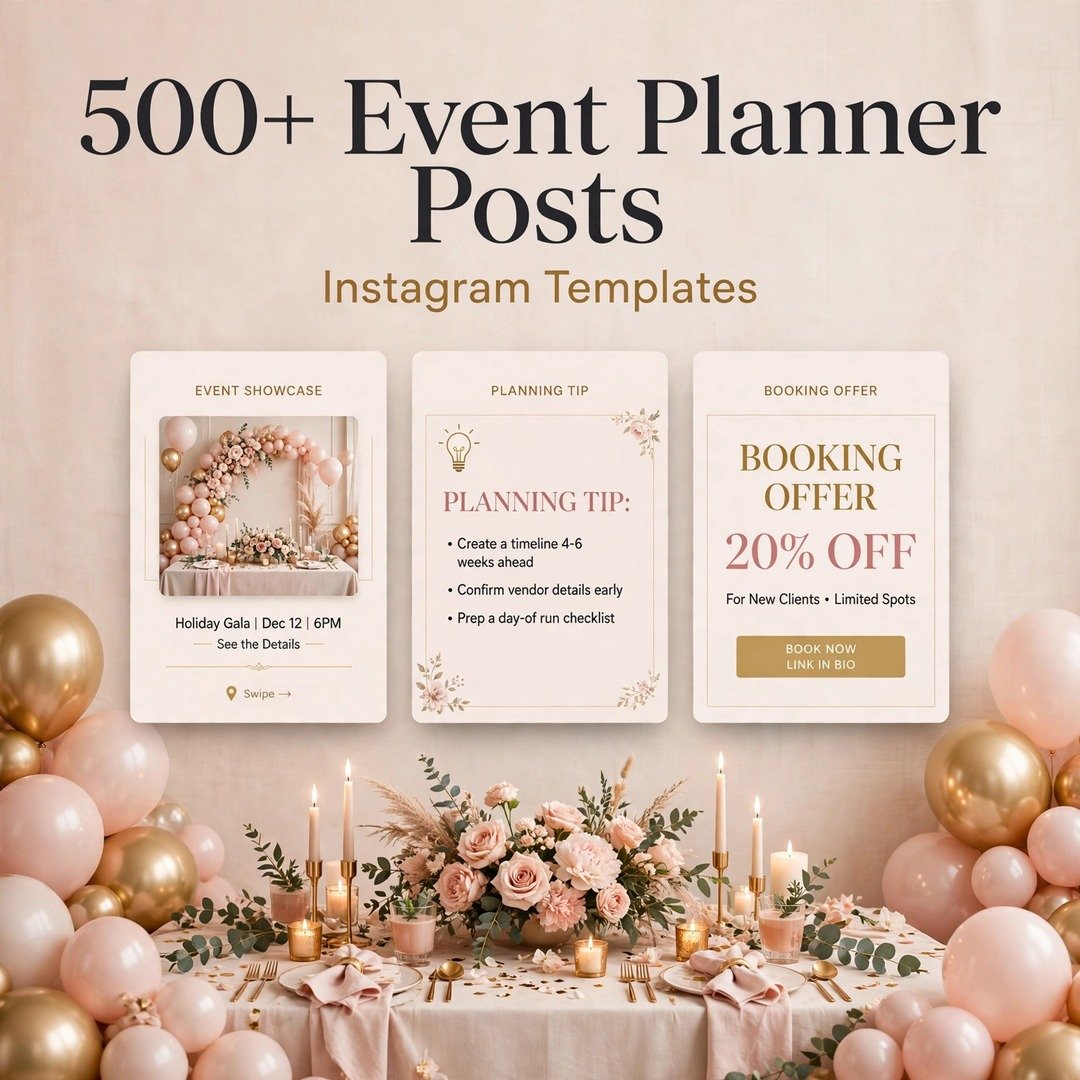
How to Use Event Planner Instagram Post Templates
Creating an event planner post from a template follows a simple order:
- Choose a template for your message, such as an event showcase or a booking offer.
- Replace the sample text with the event type, tip or offer.
- Add a clear photo of a finished event, styled well.
- Check packages, availability and booking dates.
- Post at a regular time, and reply to enquiries promptly.
Who Should Buy This Bundle
These event planner Instagram post templates suit wedding planners, party planners, corporate event managers and conference organisers. They help any planner who wants a polished feed that brings clients with exciting plans.
Showcasing Finished Events
Showcase posts should capture the finished event at its best. Share the theme, the setting and one standout detail, such as the table styling or lighting. Ask clients for permission before sharing photos of their guests or families.
Sharing Practical Planning Tips
Planning tips help followers see your expertise. Share one practical tip per post, such as booking vendors early or building a timeline for the day. Keep advice general, and invite questions in the comments.
Clear Booking Offers
Booking posts should explain what your packages include, the lead time you need and how to enquire. Update the post when your calendar fills, and remove offers for dates that have passed.
Client Stories That Feel Personal
Client stories show how you turned an idea into a real celebration. Keep each story short, and share it only with the client’s permission. Describe the goal and the result in plain language, and avoid naming private details. Personal stories help future clients picture working with you.
Tips for Festive, Polished Posts
Use one event as the focal point, and keep the text short. Choose a festive palette that suits your style. Save your favourite layouts in Canva so you can publish quickly. Review your portfolio each season and remove events that no longer reflect your work.
Common Mistakes to Avoid
A common mistake is leaving sample package prices or dates on the design. Another is sharing a guest’s photo without permission. Avoid busy backgrounds that compete with the event, and check the spelling of every venue name. Finally, do not advertise a booking window after your diary is full.
Quick Checklist Before You Post
- Replace all sample text, prices and venue names.
- Confirm permission for any guest or client photos.
- Check package details and availability.
- Preview the post on a phone.
Frequently Asked Questions
Can I edit these event planner templates in Canva?
Yes. The product page says you can edit each template in Canva and post it in minutes.
Do I need design skills to use them?
No. The templates are ready to customise, so you change the text and images rather than building a layout from scratch.
Can I use the templates for client work?
Check the licence terms that come with your download before you use the templates for client work or resale.
Explore More Digital Products
Browse more social media bundles in the MN5 DIGITAL shop, or see all products from this seller on the RizStore page. For design basics and Canva tips, visit Canva’s website.






Reviews
There are no reviews yet.