
Description
A Lightroom presets bundle lets you edit photos in one click. This bundle includes 5000+ professional Lightroom presets for portraits, travel, food, fashion and lifestyle photos, for both mobile and desktop Lightroom.
What Is Included in the Lightroom Presets Bundle
The bundle includes presets for portraits, travel, food, fashion and lifestyle. The product page says the presets work in mobile and desktop Lightroom, and that each one is fully adjustable. You can apply a preset as a starting point and fine-tune it to suit each photo.
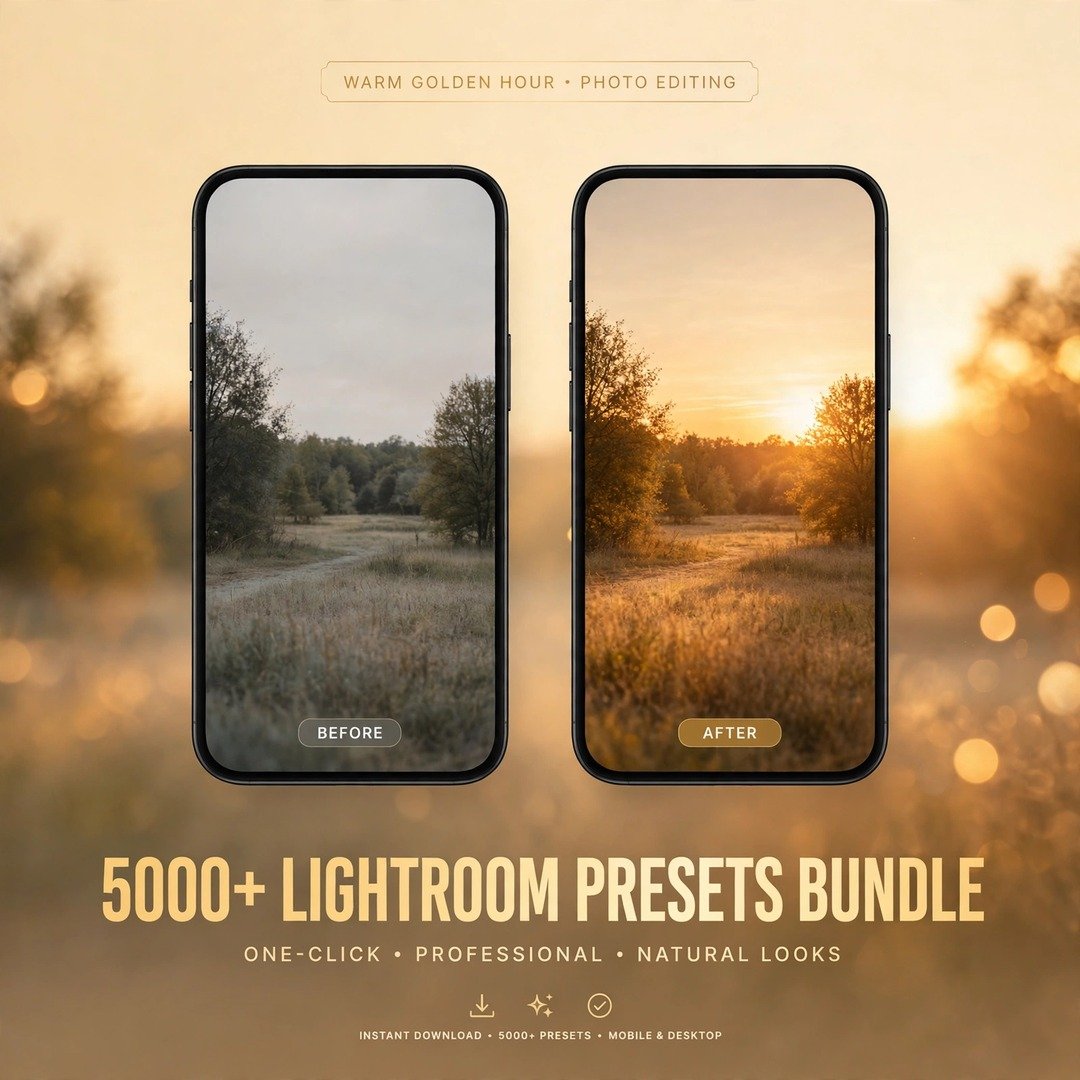
How to Use the Lightroom Presets Bundle
Editing with the Lightroom presets bundle follows a simple routine:
- Download the bundle and import the presets into Lightroom on your mobile or desktop.
- Choose a preset that matches the mood of your photo.
- Adjust exposure, colour and contrast to suit the light in the picture.
- Export the finished photo and post it.
Apply the same preset to a set of photos from one shoot. This keeps your Instagram feed consistent and saves editing time.
Who Should Buy This Lightroom Presets Bundle
This bundle suits creators, influencers and anyone who wants a consistent, beautiful feed. It is also useful for photographers who edit travel, food, fashion and lifestyle images and want a quick starting point.
Tips for Better Results
Apply presets as a starting point, not a final edit. Test each preset on several photos, because lighting changes the result. Keep your shooting conditions as similar as you can, so your edits stay consistent across the feed.
Frequently Asked Questions
Does the bundle work on mobile?
Yes. The product page lists both mobile and desktop Lightroom, so you can use the presets on your phone or computer.
Are the presets easy to adjust?
The product page says each preset is fully adjustable. You can change the exposure, colour and contrast after applying it.
Quick Checklist Before You Post Edited Photos
- Compare the edited photo with the original to make sure it still looks natural.
- Check skin tones and colours on a phone screen as well as a computer.
- Keep brightness consistent across your feed.
- Export at a size that suits Instagram.
Common Mistakes to Avoid With a Lightroom Presets Bundle
A common mistake is applying a preset at full strength to every photo. Lower the amount when a preset looks too strong for a particular image. Another mistake is editing in a dark room and then posting the photo on a bright phone screen. Check your edits on the screen where most of your followers will see them. Finally, avoid switching presets too often. A consistent look across your feed builds recognition more than a new style for every post.
More Questions About the Lightroom Presets Bundle
Do I need to be an experienced photo editor?
No. A preset gives you a starting point in one click, and you can adjust it afterwards. Learning which sliders to change will improve your results over time, but you do not need prior editing skills to begin.
Can I use the presets on photos from different cameras?
Results depend on the lighting and the camera that took the photo. Test each preset on a few images from your own camera before you apply it across a whole shoot.
Which preset should I start with?
Start with the preset that matches your most common shoot type, such as portraits or travel. Once it works well on your photos, try the other presets in the bundle that suit your usual subjects.
Explore More Digital Products
Browse more creator and photo editing bundles in the MN5 DIGITAL shop, or see all products from this seller on the RizStore page. To learn more about the editor, visit Adobe Lightroom’s product page.







Reviews
There are no reviews yet.